

 Reply With Quote
Post the output of
fdisk -l
Also
less /etc/fstab


OK I have installed Knoppix. I have 3 HD, 1 IDE1 master, 1 IDE1 slave and 1 IDE2 slave. How should these be set up in FSTAB and in the MNT directory? I can not seam to get it straight. It looks like I have a HDA, HDB and HDD. What else besides MNT and the FSTAB file needs to be modified. I check the QTpartition program and they are all there.
thanks in advance
Post the output of
fdisk -l
Also
less /etc/fstab
# /etc/fstab: filesystem table.
#
# filesystem mountpoint type options dump pass
/dev/hdb5 / ext2 defaults,errors=remount-ro 0 1
/dev/hdb1 none swap sw 0 0
proc /proc proc defaults 0 0
/dev/fd0 /floppy vfat defaults,user,noauto,showexec,umask=022 0 0
/dev/cdrom /cdrom iso9660 defaults,ro,user,noexec,noauto 0 0
/dev/dvd /dvd iso9660 defaults,ro,user,noexec,noauto 0 0
/dev/cdaudio /cdaudio iso9660 defaults,ro,user,noexec,noauto 0 0
# Added by KNOPPIX
/dev/hdd1 /mnt/hdd1 vfat noauto,users,exec,umask=000,uid=knoppix,gid=knoppi x 0 0
# Added by KNOPPIX
/dev/hda1 /mnt/hda1 reiserfs noauto,users,exec 0 0
/dev/hdb2 /mnt/hdb2 ext2 noauto,users,exec,umask=000,uid=knoppix,gid=knoppi x 0 0
/etc/fstab (END)
============================
Disk /dev/hdd: 1281 MB, 1281181696 bytes
64 heads, 63 sectors/track, 620 cylinders
Units = cylinders of 4032 * 512 = 2064384 bytes
Device Boot Start End Blocks Id System
/dev/hdd1 1 620 1249888+ 83 Linux
Disk /dev/hda: 2564 MB, 2564352000 bytes
128 heads, 63 sectors/track, 621 cylinders
Units = cylinders of 8064 * 512 = 4128768 bytes
Device Boot Start End Blocks Id System
/dev/hda1 1 621 2503840+ 83 Linux
Disk /dev/hdb: 3228 MB, 3228696576 bytes
128 heads, 63 sectors/track, 782 cylinders
Units = cylinders of 8064 * 512 = 4128768 bytes
Device Boot Start End Blocks Id System
/dev/hdb1 1 121 487840+ 82 Linux swap
/dev/hdb2 122 782 2665152 5 Extended
/dev/hdb5 * 122 782 2665120+ 83 Linux
root@Linux:~#
==================
Let me know what you think
I am trying to get icons on the desktop for each of these drives...minus the swap drive
Thanks
Also what is the easiest way to delete and add new users.
Thanks
knoppix has a command I'm not running knoppix right now but I think it is: mkdesktopicons
run that command from konsole and that should make all of your desk top icons for you.
~rock
I presume you're using the KDE desktop. You can right click on the desktop and make a new ?? whatever you want. You can mount any of your drives to any mount points you choose (as long as the mount points exist of course). You can have it done automatically or manually. It's all in fstab.Originally Posted by Eradicator
adduserAlso what is the easiest way to delete and add new users.
Thanks
deluser
Tricky huh?
I had completely forgotten about that! I had to do a search:
mkdesktophdicons
 Posting Permissions


Kingston 32GB 64GB 128GB 256GB USB 3.0 Flash Drive Thumb Memory Stick Pen lot
$285.90

Microsoft Office 2021 Pro Plus USB for 1PC Windows 10 & 11
$62.50

TF/SD Card Adapter Camera Reader Android Type-c For iPhone17 Pro Max Plusm lot
$573.98
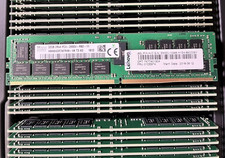
HYNIX HMA84GR7AFR4N-VK 32GB PC4-2666V 2RX4 RDIMM MEMORY HMA84GR7AFR4N-VK
$189.99

USB 3.0 Flash Drive 32GB 64GB 128GB Memory Stick Thumb Stick Lot Pack
$826.09

USB 3.0 Micro SD SDHC TF Card Reader Memory Adapter for PC Laptop Camera lot
$3.75

128GB (4x32GB) SK hynix DDR4 PC4-2666V RDIMM ECC Server Ram HMA84GR7CJR4N-VK
$799.00
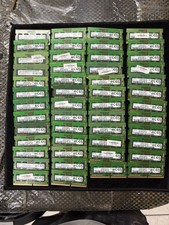
Lot of 50 Mixed Brands RAM Memory 4GB SODIMM DDR4
$691.59

Micron 32GB 1x32GB DDR5 5600 CL46 ECC Unbuffered SO-DIMM MTC20C2085S1TC56BD1
$399.00

Windows 11 Pro Install/Recovery/Repair USB Flash Drive
$35.00