

 Reply With Quote
Did you do this?
goto K -> knoppix -> Network/internet -> Network card configuration
You have to configure your network-settings there.


Ok, for years I've coveted Linux wanting so badly to find my home in true OS heaven, but for some of the things I did, it seemed that other operating system was necessary (heavy graphics editing and gaming). Recently I discovered Knoppix and i'm thrilled, I use it all the time and every now and then when i need to game or work some photoshop magic i can do that too.
One catch...I can't seem to get my wireless conection up and running. I'm running the 1-1-03 version of knoppix and it sees my card...i'm not even getting any errors, but what do i have to do to get it up and running?
My specs;
Dell Inspiron 4000
Netgear MA 401 PCMCIA card
Knoppix v. 1-1-03 (running from cd naturally)
My Wireless Router is a Netgear MR 314
Wow, feels like i just gave away all of the family secrets...
like i said, i'm totally new...what do i do?
thanks for the help, Klaus Knopper is a Genius, and Knoppix is Magic.
Did you do this?
goto K -> knoppix -> Network/internet -> Network card configuration
You have to configure your network-settings there.
I tried that but, ashamed to say, i really didn't know what quite all of the settings were. Most of them i knew, i mean channel and SSID were self evident, but some of the later options i could use some help on...
I would like to help you, but I do not know which settings you need to know.
Also I do not know if you (can) use DHCP on Wireless Connections.
If so, it's quite simple. If not you have to know in what network you are.
Does your connection work in Windows or in another OS?
We could try to get the right settings from there. Please report the other OS here in full (just Windows will not do, because you have to look in different places with W95/98/Me, Win NT, Win XP and W2000)
Sorry i left out the OS, that's kind of important. I am using Windows XP. And the WiFi connection works without a hitch in XP. What is DHCP?
and what other information do i need to know?
sorry, i forgot to log in before.
I am running the first release of Windows XP Professional (v. 2002).
Thanks again for your help.
i've heard mention of chipsets in wireless cards...orinoco, netgear...what's the difference?
is prism one of the chipsets? i believe it has something to do with a wireless card, anyone know anything about this?
- Open in Win XP a command prompt.
typeYou will see all the settings you need for Knoppix (beside the settings you already knew).Code:ipconfig /all
thanks for the tip that's a lot of useful information...but i can't apply it to this.
Your question earlier about dhcp, i now know that (whatever it is) it is enabled. when i'm in wavelan it wants me to enter NWID...what is this? it want's the "mode"...when it asks for a channel number...i know i've been using channel 6, do i simply enter 6? what about the additional parameters? what is iwspy? what is iwpriv?
I know these questions probobally sound rediculous...but i'm really new to this and lost. With a windows configuration i could do this in my sleep, but linux is far more hands on, which i like, but i've gotten lost.
thanks again
This is not easy stuff for me to. I have little experience with wireless.
But I'll give it a try anyway.
NWID is Network Identity. It' a 16 bit number. Your NWID should be identical to the one used by your basestation. Try pressing F1 in Windows XP to see if you can find that setting in Windows XP. I read on the internet that for some cards it needs to be the same as the channelnumber to create an auto frequenty search on both PC and base-station. So if you don't find anything you can try 6.
If you are asked for a channelnumber, you only have to fill in the number, so in your case it's 6.
IWPSY is a tool that gets wireless statistics from specific nodes.
On the internet you can find man-pages on that. Just search with google.
IWPRIV is a tool that configure optionals (private) parameters of a wireless network interface. There are also man-pages for that on the internet.
I think you can leave IWSPY and IWPRIV blank the first time and look into that later. (Don't forget it. It might be important for security reasons).
Well, I think I've answered your questions so far.
Good luck with this. I like to hear if you did manage to get a working connection.
 Posting Permissions

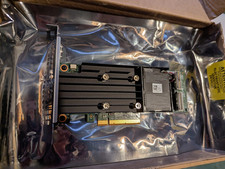
Dell PERC H755 8GB NV 12Gb/s Pci-e RAID controller card 29XMF Full Height
$899.00

Broadcom 9600-24i Tri-Mode RAID Controller 4.0 NVMe SAS SATA NEW 05-50111-01003
$639.69

CalDigit VR minin 2 Portable Raid Storage On The Go
$75.00
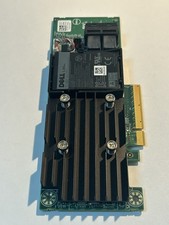
Dell 01M71J PERC H740P 12Gbps PCI-E SAS RAID Controller 1M71J
$70.00

Broadcom LSI 9305-16i 12Gbps SAS-3 PCIe x8 HBA 16-Ports Raid Controller
$64.99

OWC Mercury Elite Pro 2 Bay RAID Enclosure with USB 3.2 for Dual 3.5 inch HDDs
$87.99
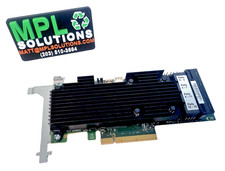
LSI Oracle 9361-16i 16-Port 12Gb SAS PCIe RAID Controller 7332895
$77.97
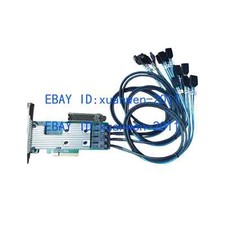
LSI 9305-16i SATA SAS 12Gbs RAID Controller PCIe 3.0 x8 IT Mode 4* SFF-8643 SATA
$100.87

9300-8i LSI SAS3008 8-Port 12Gb PCIe IT mode ZFS FreeNAS unRAID 2*SFF-8643 US
$49.50
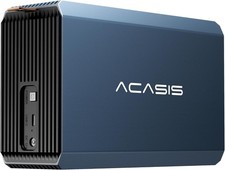
2-Bay RAID Enclosure for 2.5/3.5" SATA HDD/SSD External Hard Drive, USB 3
$59.99