

 Reply With Quote
try this
open a root shell type:
k3b
that will run k3b as root and give you permissions to things you probably don't have permissions to do as Knoppix
disclaimer: not tried this myself - just a guess from the error messages you were getting


Hi Everyone!
Basically, I’m trying to use Knoppix to recover a non-bootable XP drive, on selected files (that Knoppix can read)
I’ve read many posts on setting up Knoppix for CD-RW and copying files, but haven’t seen anything work yet.
Using the latest version 3.3, I boot up normally, it sees all the devices:
External USB 24x CD-RW
External USB Flash Drive
It can read the files on these devices, but I’m prevented to write to them. I use the “right” mouse key to change “rewrite’ mode, and do it again to “mount” the drive.
With two windows, opened, I click on the hard drive folder and “copy”, then go the the USB Flash Drive Device and say “paste”… It looks like it’s collecting the files and gets ready to “write”, but instead I get an error message “could not make directory…”
I try to use the K3B CD-writer (after using the setup menu), and get an error message, it can’t find “cdrecord” and to “load the CDRTOOLS”… I can’t seem to find the cdrtools program to load???
I’ve got a little Windows experience (20 + years), but no Linux what-so-ever…
Can someone explain, step by step, for this Linux newbie on the correct procedure to “turn-on” the correct software switches and be able to “write” to these above USB devices… At this stage, I’ll be happy just copying files from the HD to the USB Flash Drive…
The mounting/unmounting and K3B cdrecord has me more than confused… (I really did read a number of writeups and still going in circlesJ)
Help, Please?

try this
open a root shell type:
k3b
that will run k3b as root and give you permissions to things you probably don't have permissions to do as Knoppix
disclaimer: not tried this myself - just a guess from the error messages you were getting
Hi,
I went to the root shell, typed k3b, it starts and then got some error messages:
Warning - Already running
If I use the menu and select k3b, it starts, and "ALWAYS" get this error message "Unable to find cdrecord executable"
Solution-Install the cdrtools package...
This is one problem I can't seem to find the "cdrtools package" to install?\
Where is it?
When I try to copy/paste files to the USB flash drive, it goes through the motions and then displays an error message:
Error-Konqueror-
"Could not make directory /mnt/sda1/My Documents (or xxx filename)"
I did change the rewrite priv's for the USB flash drive, but I'm stuck?
What next folks?
 Posting Permissions

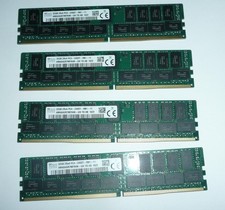
SK Hynix 128GB (4 x 32GB) PC4-2400T DDR4 ECC Server Memory HMA84GR7MFR4N-UH
$649.95
Apple iPad Pro 11-inch (M5) A3357 256 GB, Wi-Fi, 11 in - Silver
$590.00

2 in 1 USB 3.0 Card Reader Micro TF card Reader usb adapter High Speed Cardreder
$3.99
SK HYNIX HMAA8GL7MMR4N-UH 64GB PC4-2400T RDIMM Server RAM
$289.95
Hynix HMA84GR7CJR4N-VK 32GB DDR4-2666 PC4-21300 2Rx4 ECC Server Memory Module
$194.99

Kingston 32GB 64GB 128GB 256GB USB 3.0 Flash Drive Thumb Memory Stick Pen lot
$285.90
Major Brand 8 GB PC3L-12800 (DDR3-1600) 2Rx8 DDR3L Laptop Memory RAM
$10.99

SK Hynix 64B PC4-2933Y Server Memory DDR4 RAM HMAA8GR7MJR4N-WM
$499.99

2021 Full Version Office Professional Plus for 1 PC Flash USB Drive
$59.99
LOT OF 2 Micron 8GB 1Rx4 NN4-2133P-RZZZ-02 MTA18ASF1G72PF1Z-2G1T12AAIGD DDR4 RAM
$49.99