-
I have not tried these installs so I am just making some general assumptions.
If your monitor is not properly identified and configured, then Knoppix can overscan it causing it to go blank just as it would if you deliberately overscanned it in Windows. You can test this a couple ways. Press ctl-alt-(keypad+) or Press ctl-alt-(keypad-) to step through several scan modes. You may see the monitor come back to life. If this is the case, use the "knoppix xvrefresh=60" boot option to force knoppix to run your monitor at 60hz or the "knoppix screen=800x600" to force knoppix to run at the resolution you specify.
Alternatively, you can verify that the machine is still alive by checking one of your virtual terminals. Press ctl-alt-F2. You should see "root@tty2[/]#" If this is the case, it confirms the same problem already discussed in the last paragraph.
I hope this is helpful.
Similar Threads
-
By Presently42 in forum Hdd Install / Debian / Apt
Replies: 34
Last Post: 02-23-2005, 05:44 AM
-
By Japo in forum Hdd Install / Debian / Apt
Replies: 0
Last Post: 11-04-2004, 05:36 AM
-
By BaltikaTroika in forum Hdd Install / Debian / Apt
Replies: 3
Last Post: 09-26-2004, 04:33 AM
-
By imjustabill in forum Hdd Install / Debian / Apt
Replies: 2
Last Post: 08-09-2004, 11:04 PM
-
By voldemort_b in forum Hdd Install / Debian / Apt
Replies: 12
Last Post: 03-14-2004, 09:47 PM
 Posting Permissions
- You may not post new threads
- You may not post replies
- You may not post attachments
- You may not edit your posts
-
Forum Rules


Gigabyte 4U AI Server 10x Nvidia GPU 2x Xeon Gold 6150 36 Core 2.7GHz DDR4 RAM
$1499.00

Dell EMC PowerEdge R440 Xeon silver 4215 2.5GHz 16 GB ram 2x 550W PSU No HDD
$275.00

867959-B21 HPE ProLiant DL360 G10 CTO Server W/ 2x 865414-B21 1x 840140-001
$245.00

Dell PowerEdge R530 2x E5-2630v4 H330 iDRAC8 Port Card Riser No PSU/RAM/HDD
$99.99

Dell PowerEdge C4130 1U AI GPU Server | 2x E5-2690 v3 | 64gb Ram | 2x 1600W
$524.99

Dell Poweredge R730xd 12LFF 2*2660v4 4*1Gbe h730 2x 750W Server CTO
$308.00

Dell PowerEdge C4130 1U AI GPU Server | 2x E5-2680 v3 | 32gb Ram | 2x 1600W
$409.99

Dell Poweredge R630 2x Xeon E5-2680 v3 2.5ghz 24-Cores / 64gb / Raid / 2x 1Tb
$374.99

RDS CAL - Remote Desktop Services Windows Server 2019 50 User/Device Connections
$63.00
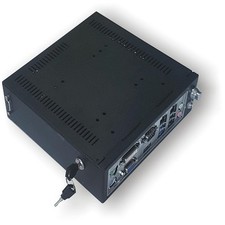
A Mini Windows Server w Xeon E3 Processor & (2) 500GB Hard Drive-Home/Industrial
$319.00



 Reply With Quote