-
Senior Member
registered user
Sadly, none of the suggested expedients, including those by rs123 in a parallel thread, seem to be working for me. It would be highly appreciated if the resident experts could suggest a step-by-step approach for troubleshooting this problem, please! I am still wondering why my 4-port USB hub and 4-port card reader aren't working either and whether this is related?
OG.
-
Senior Member
registered user
Note: you will have to use commands to get your LS-120 working, all commands that you should enter are in bold type:
with a disk installed have you done this from konsole (xterm, etc)?
(either logged in as root or su-ed to root)
mkdir /mnt/sda
mount -t vfat /dev/sda /mnt/sda
at this point still in konsole do a df and look for an entry for /dev/sda:
Filesystem .. 1k-blocks .. Used .. Available .. Use% .. Mounted on
...
/dev/sda ...... xxxxxxx .... xxxx ... xxxxxxx .... xx% ... /mnt/sda
this is telling you that in fact the LS-120 device is mounted, if you would do a ls /mnt/sda you would see the files on the disk, so if this is OK then still in konsole as root use this command:
umount /mnt/sda to unmount the device.
You WILL have to do the above before you can proceed and to be sure things are working OK.
Also as root you will need to edit your /etc/fstab file as it does not have an entry for /dev/sda so use whatever editor you are familiar with and edit your /etc/fstab file so that the line:
#/dev/sda1 /mnt/sda1 auto noauto,users,exec 0 0
is like this:
/dev/sda /mnt/sda vfat noauto,users,exec 0 0
then save your /etc/fstab file and now at your kde desktop right click to make new hd device, name it LS-120 and select device /dev/sda, and mountpoint /mnt/sda and filesystem type vfat. I think that should be it...
HTH
~rock
-
Senior Member
registered user
You are a genius, Rocky! The confusion arose with the references to floppy drives and scsi devices. It may want to be called an sda device, but it signs on as a hard drive - not surprisingly, because it IS an ATAPI device on the IDE line. If I try to change the icon to show an FDD or the label on the desktop to LS-120, it disappears again. It only likes to be called an hard drive. Each disc has to be individually mounted, and unmounted to remove it; there doesn't appear to an 'eject' option. But it works, at last. I can even read all my .wpd files from another OS in Kword, etc. Very many thanks to everyone who helped.
OG.
-
Senior Member
registered user
Glad you got it working. I've always had to unmount to remove the disk and have never had an eject option for the LS-120 in Linux.
-
Senior Member
registered user
Yes, indeed. I have the Michael Gange book and the Sybex 'Complete Linux', both of which are excellent, but I think there is scope for another somewhere in between and extending the scope of the latter to a wider range of peripherals and their problems. Any budding writers?!
AND.....
there is a postscript for Rocky:
We are going to need your Idaho potatoes as well as your good advice. The virulent potato ring rot has been discovered in one crop in the UK.....
OG.
Similar Threads
-
By mindmeddler2003 in forum General Support
Replies: 1
Last Post: 02-03-2004, 07:29 PM
-
By lesshaste in forum General Support
Replies: 2
Last Post: 01-09-2004, 05:50 PM
 Posting Permissions
- You may not post new threads
- You may not post replies
- You may not post attachments
- You may not edit your posts
-
Forum Rules


Lot of 500 Cisco 10-3145-02 QSFP-100G-CWDM4-S 100G CWDM4 QSFP28 Transceiver
$1500.00

Cisco WS-C3650-12X48UR-L 48-Port Stackable Layer 3 8x10G SFP+ Port Switch
$129.99

Cisco Catalyst C9120AXI-B Wi-Fi 6 Access Points
$36.00
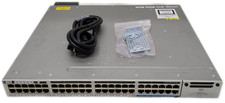
Cisco WS-C3850-12X48U-S 48-Port UPoE Switch 1100W PSU
$149.99

Cisco C9300-48UXM-A Switch 9300 Series 48-port UPoE Network
$874.99

Cisco C3850-NM-2-10G Catalyst 3850 2 x 10GE Network Module
$30.00
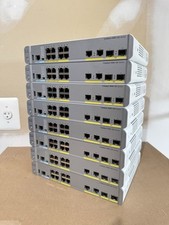
Cisco Catalyst WS-C3560CX-8PC-S Managed Switch 8 PoE+ Port | Quantity Available
$97.49

Cisco | N3K-C3232C | 32-Port 100G QSFP Network Switch W/ 2x PSU, 2x Power Cords
$205.00

Cisco C3850-NM-2-10G
$75.00
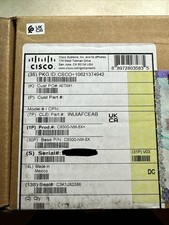
Cisco C9300NM8X Network Switch Module
$599.99



 Reply With Quote