

 Reply With Quote
All I had to do was refuse the LILO option and use the boot disk. It works out great.


I carefully followed the directions provided in the concise walkthrough written by David McNab.
Sadly, when I pulled the CD out and rebooted, I received an error message telling me there was a "error booting the OS". I'll update this post with the exact message. This is somewhat frustrating as I have no clue WHAT the problem is. Any hints to a work around for this problem?
I've tried out a few Linux distributions and I have found the Knoppix is by far the most hardware compatible and user friendly! I fell out of my chair when I saw how fast my peripherals were recongized! I'm still recovering from the schock! In any case, help is appreciated. Thanks!
All I had to do was refuse the LILO option and use the boot disk. It works out great
To make lilo work, look at your /etc/lilo.conf file. Make sure it is set properly and then run /sbin/lilo .
That should fix the problem.
 Posting Permissions


Lenovo ThinkPad T14 G2 14-Inch AMD Ryzen R5 5650U 16GB, 512GB SSD Win 11 Pro
$398.99

Lenovo ThinkPad L15 Gen 3 15.6" 16GB, Thunder Black
$241.50

Lenovo ThinkPad L15 Gen 3 15.6" 16GB, Thunder Black
$241.50
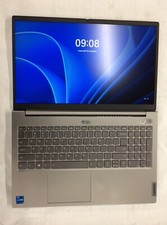
Lenovo Thinkbook 15 G2, i5 1135G7, 256GB, 8GB, 20VE003GUS no OS, Iris Xe, 15.6"
$200.00

Lenovo ThinkPad T14 Gen 1 14" AMD Ryzen 5 16GB 256GB SSD
$219.99
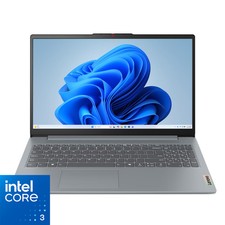
Lenovo - IdeaPad Slim 3i 15.6" Full HD Laptop - Intel Processor N355 2025- 8G...
$349.99

Lenovo - Yoga 7i 2-in-1 16" 2K Touchscreen Laptop - Intel Core Ultra 5 Proces...
$749.99
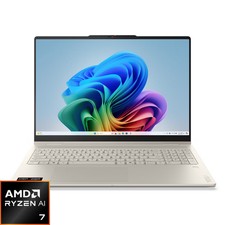
Lenovo - Yoga 7a 2-in-1 16" 2K LCD Touchscreen Laptop - AMD Ryzen AI 7 445 20...
$849.99
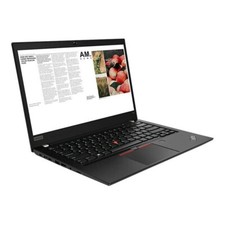
Lenovo ThinkPad laptop T490 14" i5 8365U 16GB NEW 256gb SSD WIN 11 pro CAM WIFI
$249.99

Lenovo Thinkpad E15 Gen 2 8GB RAM 256GB SSD Intel Core [email protected] Laptop
$259.25