

 Reply With Quote
All I had to do was refuse the LILO option and use the boot disk. It works out great.


I carefully followed the directions provided in the concise walkthrough written by David McNab.
Sadly, when I pulled the CD out and rebooted, I received an error message telling me there was a "error booting the OS". I'll update this post with the exact message. This is somewhat frustrating as I have no clue WHAT the problem is. Any hints to a work around for this problem?
I've tried out a few Linux distributions and I have found the Knoppix is by far the most hardware compatible and user friendly! I fell out of my chair when I saw how fast my peripherals were recongized! I'm still recovering from the schock! In any case, help is appreciated. Thanks!
All I had to do was refuse the LILO option and use the boot disk. It works out great
To make lilo work, look at your /etc/lilo.conf file. Make sure it is set properly and then run /sbin/lilo .
That should fix the problem.
 Posting Permissions


Mini Computer Vacuum USB Keyboard Cleaner PC Laptop Brush Dust Cleaning Kit NEW
$13.89

V3 Robot Vacuum and Mop Combo,Self-Charging,5000pa Strong Suction,WiFi/Alexa NIB
$82.00

Trucozie Cordless Vacuum Cleaner, Self-Standing Lightweight Stick Vacuum New Ope
$89.00

Compressed Air Duster & Vacuum, 320000RPM Rechargeable Mini Electric Blower
$44.99

US Mini Computer Vacuum USB Keyboard Cleaner PC Laptop Brush Dust Cleaning Kits
$13.89

🔥 OEM Shark Cordless Vacuum Charger DK33-248080H-U for Shark Rocket
$18.75

Paladone USB Desk Vac Novelty Upright Mini Computer Vacuum Retro Vintage
$59.99
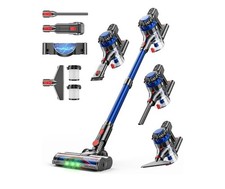
KARDV Cordless Vacuum Cleaner, 500W/40Kpa Vacuum Cleaners for Home, 60Mins St...
$64.99

Electric Air Duster Blower High Power Cordless Cleaner for PC Laptop Keyboard
$15.99
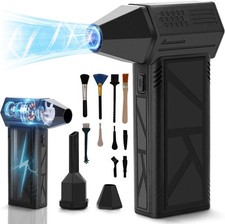
WeePro Compressed Air Duster 180000RPM Cordless Mini Turbo Fan, 3-Speed Vacuum
$149.99