

 Reply With Quote
Try mounting your drives like this:
sudo mount -o rw /dev/hdx?
Or, if it's already mounted:
sudo mount -o remount,rw /dev/hdx?


Hi!
After installing knoppix onto my hd and doing some settings I wanted to get write access for my FAT32-drive hda5.
Following the instruction I mounted hda5 by clicking the icon on the desktop. Then I did "change r/w permissions" which can be found in the context menu of the icon.
But this action had *absolutely no* effect, though it should have one, shouldn't it? Still a message appeared which told me that it is not possible to write, when trying to delete/create/edit a file on hda5.
Please *do* help me.
Knoppixer
Try mounting your drives like this:
sudo mount -o rw /dev/hdx?
Or, if it's already mounted:
sudo mount -o remount,rw /dev/hdx?
I will try that later on.
But whoes failure would it be, if your solution were correct, what it actually can be?
Well ya see.....i almost never even see my desktop but when I do there's redhead I'd rather see than icons.Originally Posted by knoppixer

Thanks to you! It even worked the next reboot without doing anything.
 Posting Permissions

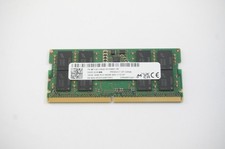
MTC8C1084S1SC56BD1 Micron 16GB DDR5 1Rx8 PC5-5600B 5600Mhz SO-DIMM Memory
$149.99

Netac DDR4 32GB 16GB DDR4 3200MHz UDIMM C16 Desktop Internal Memory RAM Kit
$99.99

16GB KIT (2x8GB) DDR3 Gamer Desktop RAM PC3 MIXED BRANDS VIPER VENGEANCE FURY
$10.00

A-Tech 8GB DDR3 1600 PC3-12800 Laptop SODIMM 204-Pin Memory RAM PC3L DDR3L 1x 8G
$21.68

Major Brand 16GB (2x8GB) PC3-12800U DDR3-1600MHz DDR3-12800 DESKTOP RAM NON-ECC
$29.99

DDR4 Laptop RAM 4GB 8GB 16GB 32GB 2400 2666 3200 Samsung Hynix
$66.00

G.SKILL FLARE X5 64GB (2 x 32GB) 6000 MT/s DDR5 (AMD EXPO + INTEL XMP) *CL30*
$785.00

Samsung 16GB LPCAMM2 PC5 7500 DDR5 LPDDR5X CAMM2 M561K1LC4DM0-CCTGM RAM Memory
$189.00

Micron 32GB 1x32GB DDR5 5600 CL46 ECC Unbuffered SO-DIMM MTC20C2085S1TC56BD1
$399.00
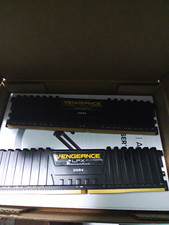
Corsair Vengeance LPX DDR4 SDRAM DIMM 288-Pin Desktop RAM 2 Modules
$30.00