-
saving graphic resolution
I've a strange problem with graphic resolution.
I'll try to explain my view.
I'm using a sony vaio laptop (ATI Radeon) and I've the 3.3 version of 29th of september.
I'm a brand newbye of linux (I'll use knoppix to study it)
I launch knoppix from CD without any problem and it start. All hardware is perfectly configured.
The resolution appears something like 1024x768 or 800x600 (I don't know how to verify it).
I set Italian language and save knoppix configuration on a floppy.
I restart with "floppyconfig" cheat code (see note below) and I see the resolution at 640x480.
I've seen in the Control Center that the resolution is set effectively 640x480, but I see this also when the resolution is higher (at the 1st boot).
In any case I change it, before rebooting (needed because we cannot restart the X11 session), I save the configuration on the floppy but ...
We have the same problem.
Thanks in advance for any suggestion.
dex
Note.
I think that the message appearing after saving the configuration on the floppy is not correct; it talks about a "myconfig=/mnt/auto/floppy" that it doesn't work.
-
I've found a trick but it is not the best.
You can create a boot floppy where to define the resolution (as append statement to the boot).
see www.cclug.org/wiki/Main/KnoppixTricks
It works but you need a floppy.
Any better idea?
At the moment my best is to open the saved config file and to try to understand the content. I cannot immagine what to find into.
dex
-
I found another more useful trick.
if you lanch knoppix with the SCREEN cheatcode, the system save right configuration, so if you save config you save your resolution.
This should work.
dex
-
Senior Member
registered user
Anyone know how to change the X resolution on an hdinstalled system (knopiix-installer as debian)?
TIA,
Similar Threads
-
Replies: 3
Last Post: 11-16-2004, 02:16 AM
-
By Zend_DV in forum Hardware & Booting
Replies: 3
Last Post: 02-03-2004, 01:42 PM
-
By Rookie in forum General Support
Replies: 5
Last Post: 10-15-2003, 08:09 PM
-
By oscar in forum General Support
Replies: 1
Last Post: 09-10-2003, 10:56 PM
-
By nimdaclaet in forum General Support
Replies: 0
Last Post: 07-10-2003, 06:54 PM
 Posting Permissions
- You may not post new threads
- You may not post replies
- You may not post attachments
- You may not edit your posts
-
Forum Rules


Samsung DVI to DVI Cable 6 ft Digital Video Interface Audio Video NEW
$30.89
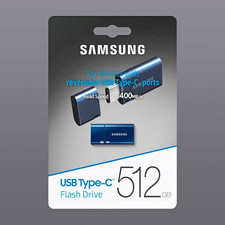
NEW - Samsung 512GB USB-C Flash Drive Blue Up to 400MB/s Read Speed
$120.00
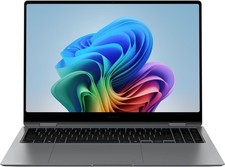
Samsung Galaxy Book 5 Pro 360 16" Laptop Intel Core Ultra 7 256V/16GB/512GB Gray
$1499.00
Samsung Galaxy Book4 Edge 15.6” FHD Snapdragon X 16GB 512GB Copilot+
$499.99

Kids Case for Samsung Galaxy Tab A9+/A9 plus 11 Inch 2023 Case, with Strap, Shoc
$27.99

Samsung JC95-01514A Cover-Side Roller T2 Compatible
$39.00

Samsung JC93-01078A Transfer Roller T2
$89.00

Samsung PC4-2666V 16GB 2Rx8 RAM DDR4 2666MHz M471A2K43CB1-CTD
$59.99

Samsung Galaxy View Tablet 18.4 SM-T670/677A Digitizer 100% Original Oem
$152.99
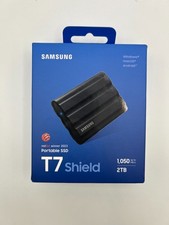
Samsung T7 Shield 2TB USB-C Portable External SSD - Black (MU-PE2T0S)
$249.95



 Reply With Quote