

 Reply With Quote
If XP does not play your DVDs either, it sounds like you are are/might be having a hardware problem. What exactly happens when the DVDs stop playing? Do you get errors?


Hi there.Im new to knoppix and am having a problem with some of my dvds.Some work fine but others don't play at all,some play the opening credits but then stop as the film starts.These all work in my dvd player and are all the same region etc.Has anyone got any ideas/suggestions to help me please?This is better than using XP which doesnt play any dvds at all!
If XP does not play your DVDs either, it sounds like you are are/might be having a hardware problem. What exactly happens when the DVDs stop playing? Do you get errors?
If you're using Knoppix from cd then you won't be able to play encrypted dvd's as Knoppix does not have libdvdcss on the cd.Originally Posted by jon267
You gotta love OSS!libdvdcss is a simple library designed for accessing DVDs like a block device without having to bother about the decryption.You can install libdvdcss w/ dpkg however.
The fact that XP won't play DVD's means nothing more than XP is crap. No suprise there eh? I think you're hardware is just fine. If you can't install Knoppix to hdd you might consider remastering. It really isn't that hard.
Thanks for your replies.The dvd player worked fine with win 98 and there are no error messages displayed.I will try libdvdcss asap but the page is down at the moment.Thanks for your help.
Check out the following page:
http://www.knoppix.net/docs/index.php/FaqUsing
Follow the instructions regarding how to install libdvdcss.
Check out the rest of the howto if your dvd's are skipping or something.
Still no joy.Am following the instruction in the docs but am getting the error message E:Couldnt find package libdvdcss2.Any ideas?Thanks
Hi,
http://www.videolan.org/pub/libdvdcs...2.8-1_i386.deb works.
Ciao Martin
Thanks.Now have libdvdcss2 on system but am getting an error message saying "there is no input plugin available to handle 'dvd:/.Maybe MRL syntax is wrong or file/stream doesnt exist".And another one saying "The source cant be readMaybe you dont have enough rights for this,or the source doesnt contain data(eg not disk in drive).(/dev/cdrom)".
I am able to play music cds with xine using the same drive
Sorted.Heres what i did.I downloaded libdvdcss2 from the link above but then got the error messages quoted above.I then began to wonder if there was something wrong with the actual drive even though it was playing music cds.even though i have 2 dvd drives only one of them were installed when i put knoppix on hd.To solve this i searched the forums for anyone with the same problem and came across a post from almola called "im new in knoppix linux world" and followed the reply from stephen and was able to install my second drive.Then in the setup window on the xine gui i changed the device used for dvd drive on the input toggle from /dev/cdrom to dev/scd1 and was then able to play all my dvds.
 Posting Permissions


OPNsense pfSense 8-Core Atom C3758 2.2GHz 8GB DDR4 64GB SSD 8x NIC QAT AES VPN
$145.00

pfSense Firewall 16-Core Atom C3958 8GB DDR4 RAM 64GB SSD 8x 1Gbe QAT AES-NI VPN
$184.99

OPNsense pfSense 16-Core Atom C3958 16GB ECC RAM 512GB SSD 8-Port QAT AES-NI VPN
$258.00

SonicWall TZ280 Firewall 03-SSC-6933 Advanced Edition 3YR NEW SEALED
$999.99

Firewalla Gold Pro - 10 Gbps Cyber Security Firewall
$680.00

Fortinet FortiGate 60F FG-60F P24286-03-13 Network Firewall Security Appliance
$155.75

Firewalla Gold Pro 10GbE Firewall Router with Rack Mount Ears and USB Key
$829.99

Fortinet FortiGate 60F FG-60F UTM UTP License Until 2027 Network Security FW VPN
$229.99

Zero Trace Pen: All-in-one Tor Network Anonymous Drive + Cryptocurrency Wallet
$147.00
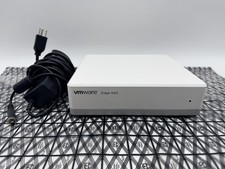
OPNsense Firewall Router VMware Edge 640 Atom C3758 32GB ECC RAM 256GB SSD 10Gbe
$284.99