

 Reply With Quote
I believe that you have to hit the ESC key just at boot then the F1 to get into the BIOS. BTW this should be in the owners manual.Originally Posted by mstlyharmlss


i have a toshiba satelite running XP professional, and have no way of accessing my BIOS during startup. i tried every F key and escape, and dont have any clue how to open up my options to boot from CD. I do not have a floppy drive which it would boot from by default, just my CD Drive.
I downloaded the smart startup manager referenced in the FAQ and dont have the slightest clue as to how i run that, either.
thanks for your help!
I believe that you have to hit the ESC key just at boot then the F1 to get into the BIOS. BTW this should be in the owners manual.
i think i solved my own problem- f2 gives you some small icons with a selector bar, which you move with arrow keys... you can select the drive to boot from this way.
i did look it up in the 'user manual' which is really just a sorry excuse to include a piece of paper with the toshiba 800 number on it, and basically tell you where the 'on' button is.
 Posting Permissions


Lenovo ThinkPad L13 Yoga Touch Laptop 13.3” Core i5 8GB RAM 256GB SSD Win 11 Pro
$239.99

Lenovo ThinkPad L15 Gen 3 15.6" 16GB, Thunder Black
$241.50

Lenovo ThinkPad E14 Gen 2 Laptop 14” HD Ryzen 5 16GB RAM 512GB SSD Win 11 Pro
$334.99

Lenovo ThinkPad E14 Gen 3 Laptop 14” FHD AMD Ryzen 5 16GB RAM 512GB SSD Win 11
$374.99

Lenovo Legion 5 Gaming 15.1" WQXGA OLED 165Hz Core i9-14900HX 16GB 1TB RTX 5070
$1469.00

Lenovo ThinkPad T14 Gen 1 14" AMD Ryzen 5 16GB 256GB SSD
$219.99
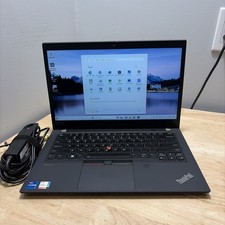
LENOVO THINKPAD T14 GEN 2i CORE I7-11165G7 2.8GHZ 16GB 256 SSD WCAM WI1 CORD
$245.00

Lenovo - IdeaPad Slim 3i 15.3" 2K Touchscreen Laptop - Intel Core 7 350 2026 ...
$679.99
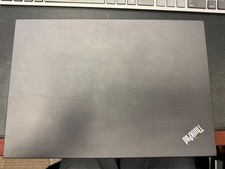
Lenovo ThinkPad T14 Gen 2 Ryzen 7 PRO 5850U 32GB 512GB SSD Touch Win 11 Pro
$500.00

Lenovo ThinkPad L15 Gen 3 15.6" 16GB, Thunder Black
$241.50