-
i think i solved my own problem- f2 gives you some small icons with a selector bar, which you move with arrow keys... you can select the drive to boot from this way.
i did look it up in the 'user manual' which is really just a sorry excuse to include a piece of paper with the toshiba 800 number on it, and basically tell you where the 'on' button is.
Similar Threads
-
By whooda in forum General Support
Replies: 0
Last Post: 04-01-2004, 03:13 AM
-
By zombi3 in forum General Support
Replies: 5
Last Post: 12-25-2003, 07:05 AM
-
By philski27 in forum General Support
Replies: 3
Last Post: 11-08-2003, 01:17 AM
-
By Enmity in forum Customising & Remastering
Replies: 6
Last Post: 11-07-2003, 10:37 AM
-
By Allowee in forum Hdd Install / Debian / Apt
Replies: 9
Last Post: 04-20-2003, 05:00 PM
 Posting Permissions
- You may not post new threads
- You may not post replies
- You may not post attachments
- You may not edit your posts
-
Forum Rules

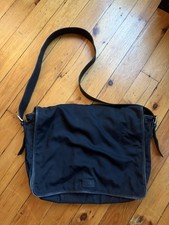
Coach Vintage BlackNylon Leather Messenger Crossbody Laptop Bag Style 5115
$90.00

🔥 RARE VINTAGE HP 2112A 21MX M-SERIES 16-BIT MINICOMPUTER HP
$299.99

🔥 RARE VINTAGE HP 2113A 21MX 1000 E-SERIES MINICOMPUTER CHASSIS BACKPLANE
$249.00

Vintage Jetway J-620BF Socket 370 Celeron AT Motherboard SiS 620 Brand New
$75.00

Original Vintage Old Style STANDARD Black CD Jewel Case (Heavy Duty) 90g Lot
$316.95
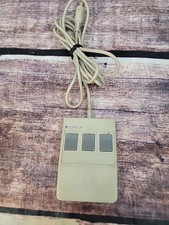
Vintage Logitech P7-3F 3 Button PS2 Ball Mouse
$49.99
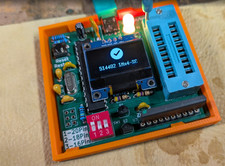
RAM-Tester for vintage RAM, 4816, 4164, 41256, 514402, and more - USA Seller
$35.00

Vintage 1996 WarCraft II, Tides of Darkness computer game manual, 238 pages
$28.95

Vintage Microsoft Visual Studio.NET Professional Software suite Version 2002 New
$82.00

Lot of 2 Vintage Plextor PX-43CS SCSI CD-ROM Caddy Drives + 4 Caddies Used
$55.99



 Reply With Quote