-
No mouse buttons
I'm trying to use Knoppix 3.3 on an HP Pavilion 370 with a wireless keyboard and mouse on a USB port. When booting Knoppix normally neither mouse nor keyboard works. When starting with knoppix noapic the the keyboard works fine. The mouse moves ok but neither of the 2 buttons is working.
Any ideas?
Thanks
Atlan
-
Senior Member
registered user
Is it possible to disable legacy USB support in the BIOS?
-
I disabled legacy USB support in the BIOS and then the keyboard didn't respond anymore so I even could not enter knoppix noapic anything after boot :
Thanks
Atlan
Similar Threads
-
By Nick889 in forum General Support
Replies: 1
Last Post: 02-19-2005, 11:08 AM
-
By helios17 in forum Hardware & Booting
Replies: 6
Last Post: 12-17-2004, 09:52 PM
-
By SunnyB in forum Hardware & Booting
Replies: 0
Last Post: 03-31-2004, 02:42 PM
-
By bongski55 in forum General Support
Replies: 0
Last Post: 05-11-2003, 06:10 AM
-
By god in forum Hardware & Booting
Replies: 3
Last Post: 03-31-2003, 04:30 PM
 Posting Permissions
- You may not post new threads
- You may not post replies
- You may not post attachments
- You may not edit your posts
-
Forum Rules

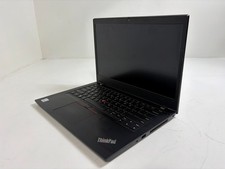
Lenovo ThinkPad L14 Gen 1 Core i5-10310U 1.7GHz 16GB 512GB 14" W11P Laptop
$197.10
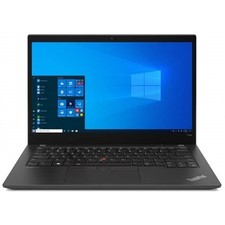
Lenovo ThinkPad T14s Gen 2 14" 32GB, Thunder Black
$318.83

Lenovo Thinkpad E15 Gen 2 8GB RAM 256GB SSD Intel Core [email protected] Laptop
$220.36
LENOVO 83A100PBUS Lenovo V15 G4 IRU 15.6" FHD i3-1315U 1.2GHz Intel UHD Graphics
$346.00

LENOVO THINKPAD T14s GEN 2a Ryzen 7 PRO 5850U 1.9GHz 16GB 256GB TOUCH - NO OS
$299.95
Lenovo - Idea Tab Plus - 12.1" 2.5K Tablet - 8GB RAM - 128GB UFS - Luna Grey
$209.99

Lenovo ThinkPad 14" T440P Intel Core i7-4600M 2.9GHz 4GB DDR3 NO SSD NO CHARGER
$100.00
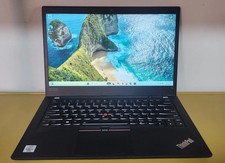
Lenovo ThinkPad T14 Gen 1 Core i5 1.70GHz, 16GB RAM , 256GB SSD
$259.99
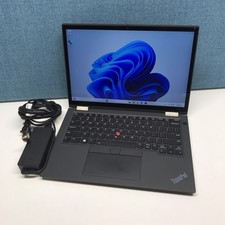
Lenovo Lenovo ThinkPad X13 Yoga Gen 2 i7-1185G7 32GB RAM 512GB NVMe SSD
$449.00

Lenovo ThinkPad L14 Gen 3 Laptop 14” FHD Core i5 12th 16GB RAM 512GB SSD Win 11
$359.99



 Reply With Quote