

I have a small network setup. Machine 1 is a XP Pro system with 2 shared printers (HP, Epson) Machine 2 is Knoppix 3.3 and machine 3 is a Lindows 4.0 box.
Knoppix has no problems printing t the XP printers. Lindows haas no problems printing. But after upgrading Knoppix Lindows now shows 2 extra IPP printers from the Knoppix machine that apparently CUPS has passed on to Lindows. Now the only way I can make Lindows print is to go into the control panel delete the 2 IPP printers from Knoppix than print. However in about 10 minutes or less the printers automagically reappear! How can I stop this?
Thanks
Been there, thats how I've been deleting the printers. I see no where that you can tell CUPS not to pass on the info on these printers. Since they are shared from XP to the Knoppix box they are not shared from the Knoppix box. At least I do not think so.
Thanks
I've been having a bear of a problem using http://localhost:631 on my hdinstalled LAN. Is there a manual somewhere on using localhost:631? I must not be using right. I see nothing in the dox on this site and google dosen't show any howtos....
Please help!!!
 Posting Permissions


1977 Scelbi BYTE Computer Primer Altair 8800 Apple II SWTPC 6800 AC-30 S-100 Bus
$85.00
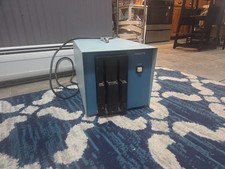
Vintage Industrial micro systems dual 8" Floppy disc drive for Altair system
$450.00

Cromemco PRI S-100 Printer Interface - Altair IMSAI
$45.00

S-100 backplane motherboard bare PCB 9 slot (for Altair/IMSAI)
$34.99
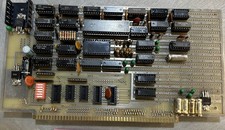
$79.99

2x Intel C8080A White Ceramic Gold 76' Vintage 8-Bit CPU Microprocessor Altair
$449.99

1976 Scelbi 6800 Software Cookbook Altair 680 SWTPC Assembly Language Motorola
$39.99
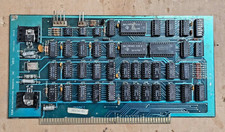
Solid State Music 1980 VB1C Video Interface Display Board S-100 altair Cromemco
$169.95

CP/M 86 1.1R 8086 Highmonitor 8 Inch Floppy Diskette 80s IMSAI Altair
$40.00
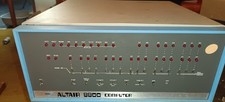
MITS Altair 8800 System Full Provenance and Documentation
$15000.00


 Reply With Quote