

 Reply With Quote
I've gotten it to boot all the way up by using the cheatcode:
knoppix dma lang=us screen=1024x768
but now it won't let me on to my harddrive. Whats the deal now???


Hey guys, hopefully someone can help me out. I am trying to run the latest knoppix on my toshiba satellite laptop (which normally runs XP), but it ALWAYS freezes at:
Scanning for harddisk partitions and creating /etc/fstab...
It works on the computers at school just fine. Whats the deal??
I've gotten it to boot all the way up by using the cheatcode:
knoppix dma lang=us screen=1024x768
but now it won't let me on to my harddrive. Whats the deal now???
Did you mount the drive? If so did you mount it read/write? A serach w/ 'mount drive read/write' got me these:Originally Posted by Cefalu of Italy
http://www.knoppix.net/forum/viewtopic.php?t=1279#5465
http://www.knoppix.net/forum/viewtopic.php?t=236#749
the problem is that my harddrive partition icon is completely MIA on my desktop when I boot all the way into knoppix. My friend says knoppix is "seeing" the harddrive when he trys to mount it but it tells him the he is presenting the wrong fs (by the way he is using ntfs and it says that he is positive that is the right fs). Hope that helps u understand my prob now.
http://www.knoppix.net/forum/viewtopic.php?t=1279#5465
Read that post again- it explains how to mount the drives manually.
Hello,
I am the friend Cefalu speaks of. I tried to mount the partition manually, but it still gives me the error. fdisk -l shows the partition existing as /dev/hda1 with partition type HPFS/NTFS, but mount -t ntfs /dev/hda1 /mnt/hda gives no success. The knoppix-installer script also gives me errors when it tried to run cfdisk to partition the drive.
I'm fairly fluent in the Linux command line, and from what I've seen, all the standard mounting and stuff doesn't work. It seems there is some sort of problem with this special case.
I don't have access to the laptop at this moment, but would mount -o remount,rw /dev/hda1 produce a different result than mount -t ntfs /dev/hda1 /mnt/hda, as far as it actually working, would?
There is a bug that applies to Toshiba laptops that makes this happen. Noone seems to know why but to mount a harddrive after knoppix is booted issue this command
This will retry to read the partiontable and after that you can mount the volumes as usual. The thing is that it still wont boot from the harddrive when you reboot since it cant find the partitions. Noone seems to know what exactly causes this but i had the same problem and the knoppix 3.2 from 2003-06-06 works flawlessly. Think in another thread they concluded that it must be either the bootup script or the kernel. If you find a sollution let me know. Cause i would rather have a newer version.Code:hdparm -z /dev/hda
 Posting Permissions


Lenovo ThinkPad E14 Gen 2 Laptop 14” HD Ryzen 5 16GB RAM 512GB SSD Win 11 Pro
$334.99

Lenovo ThinkPad E14 Gen 3 Laptop 14” FHD AMD Ryzen 5 16GB RAM 512GB SSD Win 11
$374.99

Lenovo ThinkPad L15 Gen 3 15.6" 16GB, Thunder Black
$241.50
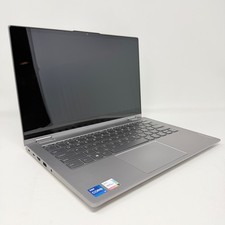
Lenovo Thinkbook 14s Yoga ITL 14” Core i7-1165G7, 16GB RAM, 512GB SSD Touch
$379.00

Lenovo Legion 5 Gaming 15.1" WQXGA OLED 165Hz Core i9-14900HX 16GB 1TB RTX 5070
$1469.00

Lenovo ThinkPad T14 Gen 1 14" AMD Ryzen 5 16GB 256GB SSD
$219.99

Lenovo - IdeaPad Slim 3i 15.3" 2K Touchscreen Laptop - Intel Core 7 350 2026 ...
$679.99

Lenovo ThinkPad X13 Gen 1 i5-10310U 16GB 512GB SSD Touch Win 11 Pro Good
$222.99
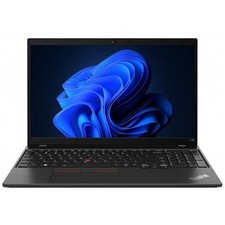
Lenovo ThinkPad L15 Gen 3 15.6" 16GB, Thunder Black
$242.00

Lenovo ThinkPad L15 Gen 3 15.6" 16GB, Thunder Black
$241.50