-
LS120 Superdisk Drive -> correct settings of fstab
Is ist possible to set the correct fstab entries when detecting an LS120 Diskdrive?
And put an Icon on the Desktop for that?
# LS120
/dev/sda /mnt/sda vfat defaults,user,noauto 0 0
# LS120
/dev/hdb /mnt/hdb vfat defaults,user,noauto 0 0
I don't know if both entries are necessary, but I added them manually and it works now (HD installation, debian mode).
-
Maybe like a Zip?
You *may* need to use a partition number. For instance, all DOS/Windows Zip disks use partition #4. So, to mount a Zip disk in Linux, one must mount:
/dev/hd?4 (where the ? corresponds to the Zip drive IDE channel. A SCSI Zip drive would be a 'sd' device.)
I can't explain it any better than any existing HOWTO. It's just the way it is.
Could the LS120 follow the same paradigm? Have you tried just mounting a floppy (versus a SuperDisk)?
-SUO
-
The 120MB Disk works fine with the Entries.
I tested a normal 1,44MB Floppy and it works also! I wonder about that, but ok.  Thank you for the suggestion.
My Idea is to set the entries automatically when Knoppix ist detecting a LS120 drive. Who can do that? Klaus, Fabian?
-
It should be possible to set the correct entries when detecting a LS120 Floppy.
-
Senior Member
registered user
From another post:
In KDE, in Knoppix 3.2, for an internal LS-120 drive, right click on the desktop, select create new, floppy device. Name it LS-120, and set the device to /dev/sda, then click ok. This should give you a desktop icon for the LS-120. Put a floppy in the drive, click the icon, and it should display the files in Konqueror after a few moments. Knoppix recognizes these drives as scsi devices.
-
Senior Member
registered user
But it still isn't working for me like that, L2! There must be something else required???
OG.
-
When I boot with a disk insert then sda1 - sda4 appears on the desktop. And it does not work!
Do you have a HD Installation?
Try to boot from cd without inserting a disk and then modify the fstab file like above for the correct filesystems, vfat (dos) in most cases.
Create LS120 Icon then.
In the Icon settings for the LS120 disk you must entry sda.
-
You must create -> new -> HD-device!
May be it works with floppy device also...
-
Senior Member
registered user
Thanks for the further advice; will try it next time the Knoppix caddy is inserted!
OG.
-
Senior Member
registered user
My example above works for me booting from the knoppix 3.2 cd with no disk in the ls-120 drive.
Similar Threads
-
By cheetahman in forum General Support
Replies: 19
Last Post: 03-21-2005, 11:58 AM
-
By lilsirecho in forum Klik
Replies: 4
Last Post: 01-07-2005, 01:44 AM
-
By el_supremo in forum General Support
Replies: 3
Last Post: 08-18-2004, 10:19 PM
-
By SilverX in forum General Support
Replies: 5
Last Post: 03-18-2004, 08:24 PM
-
By alex+ in forum General Support
Replies: 3
Last Post: 12-26-2003, 06:14 PM
 Posting Permissions
- You may not post new threads
- You may not post replies
- You may not post attachments
- You may not edit your posts
-
Forum Rules


Yealink T48S VoIP/SIP Phone, 2 x Gigabit Ports PoE 7" Color SIP-T48S | TESTED
$34.95

Grandstream WP810 Portable Cordless Wi-Fi IP Phone
$49.28

Poly CCX 400 Desktop Business Media Phone VoIP 2200-49700-019
$49.99
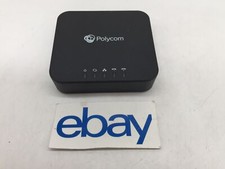
Polycom Poly ObiHai OBI302 VOIP Adapter FREE S/H
$29.99

Yealink SIP-T33G IP Phone 4-LineSpeakerphone VoIP Desk Phone Black w/ Power Sply
$25.00

Grandstream HT701 1-Port FXS Analog Telephone Adapter ATA VoIP Gateway -Free S/H
$19.99
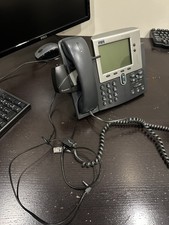
Cisco IP Phone 7940 Series VoIP Office Phone with Plantronics HL10 phone lifter
$25.00

Cisco/Linksys SPA2102 VoIP Phone Adapter Router 2FXS (Unlocked)
$17.99
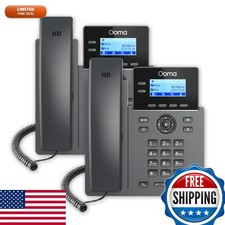
Ooma 2602 Office IP Desk Phones 2-Pack for Ooma Office VoIP
$153.98

Grandstream VoIP Phone Adapter ATA 1-Line Black Ethernet (RJ-45) Micro USB
$27.07



 Reply With Quote