

 Reply With Quote
Press
Ctrl + Alt + the "+" on the number pad
That'll siwtch between 1024x768, 800x600, and 640x480
If you want 1280x1024 when booting from cd, use the cheatcode:
knoppix screen=1280x1024


Hi everyone.
I got a problem to access the Control-Center.....
I want to change my Screen resolution from 640x480 to something like 1240x1024.....
I go to the Controll-Center then Connected Devices -> Screen and Display Devices
and then a loading progress starts but nothing happens then...
i get no configuration GUI for Screen and Display Devices and after a while even the loading progress disapears from the taskbar
can someone help me ???
thank you very much
Press
Ctrl + Alt + the "+" on the number pad
That'll siwtch between 1024x768, 800x600, and 640x480
If you want 1280x1024 when booting from cd, use the cheatcode:
knoppix screen=1280x1024
i have installed it on my HD
and i created a bootdisk for running it...
can i type the knoppix screen=1280x1024 command when i boot from that disk ?
btw: If i press Ctrl + Alt + the "+" on the number pad its only some strange kind of zoom, and i don't see the whole screen :/
but i gonna try your advice the knoppix screen=1280x1024
and later i gonna report what happens.
thx
???My Control Centre doesnt' have 'Connected Devices'. but monitor & screen settings are under peripherals->Xdisplay.
yeah sorry about that....
i have the german version installed.
can u plz help me changing my resolution....
arkaine23's hint doesn't work for me
Have you tried to edit the file /etc/X11/XF86Config-4 by hand you should see a section similar to this:Originally Posted by Suoremacy
Xfree will you the highest resolution possible in the subsection Display as long as the card and monitor timings will support it the DefaultDepth setting is the one that will be used. In this example it would use the 1152x768 if supported. You should have you monitor correctly set in the Monitor section similar to this:Code:Section "Screen" Identifier "Screen0" Device "Card0" Monitor "Monitor0" DefaultDepth 24 # SubSection "Display" # Depth 1 # EndSubSection # SubSection "Display" # Depth 4 # EndSubSection # SubSection "Display" # Depth 8 # EndSubSection # SubSection "Display" # Depth 15 # EndSubSection # SubSection "Display" # Depth 16 # EndSubSection SubSection "Display" Depth 24 Modes "1152x768" "1024x768" "800x600" "640x480" # ViewPort 0 0 EndSubSection EndSection
You need the proper settings for the HorizSync and VertRefresh for your monitor to have the X system to get the best possible screen resolution. Before making any changes to the XF86Config-4 file you should back it up first so you have a known working copy you can go back to.Code:# Acer AcerView 54e Section "Monitor" #DisplaySize 270 200 # mm Identifier "Monitor0" VendorName "API" ModelName "4536" HorizSync 30-54 VertRefresh 50-120 Option "DPMS" EndSection
 Posting Permissions


Intel Xeon E5-2680 V2 2.8GHz 10-Core 25MB 8GT/s SR1A6 LGA2011 B Grade Server CPU
$7.95

NEW HP Z4 G4 Workstation Xeon W-2123 16GB ECC 256GB NVMe NVIDIA T400 750W Win11
$450.00

Intel Xeon Phi 5110P 60-Core 1.053GHz Coprocessor
$50.00

Lenovo ThinkStation P520c Intel Xeon W-2133 6-Core 3.60GHz -NO RAM/ HDD/ GPU/ OS
$127.54

Intel Xeon E5-2699 V4 2.20GHz 55M 22-CORES LGA2011-3 Server Processor 145W SR2JS
$84.49
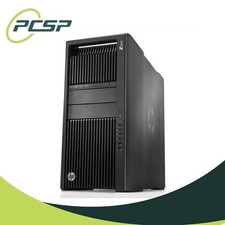
HP Z840 44 Core Workstation 2x Xeon E5-2699 v4 - No RAM/ GPU/ HDD/ OS
$594.97

Intel Xeon E5-2690 v4 SR2N2 14 Core 2.6GHz 35MB LGA2011-3 CPU *km
$15.99
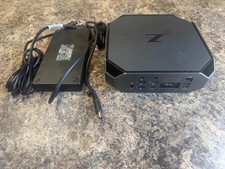
HP Z2 Mini G5 Workstation Xeon W-1270P 3.8GHz/16GB/1TB SSD/ NVIDIA T1000/W11 Pro
$349.00

Dell PowerEdge FX2s + 8x FC430 Blades 16x E5-2630v4 160 Cores Rails No PSU/RAM
$699.00

Dell PowerEdge R740xd Dual Intel Silver 4116 @2.1GHz 32GB HBA330 24Bay Server
$525.00