-
Upgrading to kernel 2.6-test9
Just for fun I decided to try upgrading to the current test release of the new kernel on my hdd install of knoppix 3.2 on a reiser partition, dist-upgraded to Debian Unstable. My first try came from just apt-getting the new kernel. But that one just gave me a blank display instead of the normal text that appears as the kernel loads. There's no disk activity afterwards, so I'm assuming something just dies in the process.
So my next try was just compiling it myself. I followed the advice given in this http://www.knoppix.net/forum/viewtopic.php?t=4662#21583 thread, and things are mostly working. My main problem right now is that I'm not getting any displayed text before X starts. It's just a black screen untill the window manager selection screen appears. I'm using a geforce 4, and as per the suggestion, I have vga 16-color graphics support unselected, and vesa vga graphics support selected to be built in, as well as nvidia riva support. In vga text console I've been selecting and unselecting things in hopes of hitting on the problem, and my latest attempt was just to check everything as built in for that catagory. Still no luck. Any suggestions? Well, aside from a suggestion to just wait for 2.6 to make it into knoppix...I'm already tempted by that one. But I think I'd just wind up annoyed with myself if I gave up this quickly.
-
Junior Member
registered user
First apt-get module-init-tools
Take and read thru http://ftp.kernel.org/pub/linux/kern...loween-2.5.txt
It will help on compile
For the vga problem comment out or move vga= to your 2.4 selection of lilo /grub
lspci for listing of you hardware
make menuconfig or xmenuconfig
make
make modules_install
make install
*** I currently use the older NVIDIA drivers there is a newer one. ****
You will need the http://www.minion.de/nvidia.html patch for the nvidia driver.
./NVIDIA*.sh --extract-only
cd NVIDIA-Linux-x86-1.0-4363/usr/src/nv
patch -p1 < NVIDIA_kernel-1.0-4363-2.6.diff
mv Makefile.kbuild Makefile
make
-
Senior Member
registered user
Re: Upgrading to kernel 2.6-test9

Originally Posted by
Joe999
Just for fun I decided to try upgrading to the current test release of the new kernel on my hdd install of knoppix 3.2 on a reiser partition, dist-upgraded to Debian Unstable. My first try came from just apt-getting the new kernel. But that one just gave me a blank display instead of the normal text that appears as the kernel loads. There's no disk activity afterwards, so I'm assuming something just dies in the process.
So my next try was just compiling it myself. I followed the advice given in this
http://www.knoppix.net/forum/viewtopic.php?t=4662#21583 thread, and things are mostly working. My main problem right now is that I'm not getting any displayed text before X starts. It's just a black screen untill the window manager selection screen appears. I'm using a geforce 4, and as per the suggestion, I have vga 16-color graphics support unselected, and vesa vga graphics support selected to be built in, as well as nvidia riva support. In vga text console I've been selecting and unselecting things in hopes of hitting on the problem, and my latest attempt was just to check everything as built in for that catagory. Still no luck. Any suggestions? Well, aside from a suggestion to just wait for 2.6 to make it into knoppix...I'm already tempted by that one. But I think I'd just wind up annoyed with myself if I gave up this quickly.
You can try with my working config it is setup for an athlon on a via motherboard with support for ext2, ext3 and reiserfs built in no need for an initrd, you would most likely have to change quite a few things you can find it here. I believe I tracked it down to the console fonts not being compiled in but not quite sure there was more than a few re-compiles and the first few blind logins and reboots were quite fun so I was not exactly taking notes. BTW you do not need the riva I have it compiled as a module and never load it the framebuffer still works.
Similar Threads
-
By Stealth870 in forum General Support
Replies: 0
Last Post: 08-16-2004, 12:23 AM
-
By naventus in forum Hdd Install / Debian / Apt
Replies: 1
Last Post: 07-01-2004, 06:11 AM
-
By Paradox in forum Hdd Install / Debian / Apt
Replies: 23
Last Post: 06-15-2004, 06:15 PM
-
By Tiger in forum Hdd Install / Debian / Apt
Replies: 7
Last Post: 12-31-2003, 03:49 AM
-
By katsushiro in forum Hdd Install / Debian / Apt
Replies: 1
Last Post: 11-21-2003, 01:45 PM
 Posting Permissions
- You may not post new threads
- You may not post replies
- You may not post attachments
- You may not edit your posts
-
Forum Rules

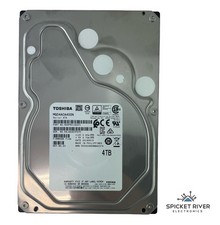
Toshiba MG04ACA400N 4TB SATA 6 Gb/s 7200 RPM 3.5" Enterprise Hard Drive HDD
$65.00
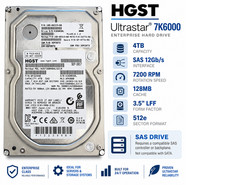
HGST Ultrastar 4TB SAS 12Gb/s 7200RPM 3.5" HDD HUS726040AL5214 4Kn
$56.00

Seagate BarraCuda ST5000LM000 5TB 5400RPM SATA III 6Gb/s 2.5" Internal Hard
$169.99

Western Digital HUS726T4TAL5204 4TB 7.2K SAS 12Gb/s 3.5" 512e HDD NetApp X375A
$84.00

Seagate ST6000NM0115 6TB 256MB 7200RPM 3.5" SATA 6.0Gb/s Enterprise Hard Drive
$159.99

Hitachi / HGST Travelstar HTS541010B7E610 1TB 2.5" SATA III HDD
$29.99
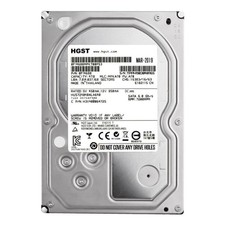
**77%-89% HEALTH**HGST Ultrastar 7K4000 HUS724040ALA640 4TB 7200 RPM 64MB Cache
$69.99

HGST HUS724040ALA640 4TB 7200 RPM SATA 3.5" Internal Desktop Drive 100% Health
$78.00

Seagate 14TB Exos X14 7200RPM SATA 6Gb/s 256MB 3.5" Enterprise HDD ST14000NM0408
$354.99

New Western Digital WD40EFPX 68C6CN0 4TB 3.5" SATA III Internal NAS Red Plus HDD
$137.59



 Reply With Quote