

 Reply With Quote
Maybe I found an answer....
Knoppix has a "Save Configuration" archive after the CD sets up. If I could email that to myself through a Yahoo account, perhaps I could run apply that to a hard drive install.


I've never been into themes and such, but it was love at fist sight.
I see theres a background pic on the CD, but how do I keep the entire "presentation" of Knoppix terminal session colors, icons, etc., the same with a HD install.
BTW, the "look" of Knoppix 3.3 is first rate.
TIA
Maybe I found an answer....
Knoppix has a "Save Configuration" archive after the CD sets up. If I could email that to myself through a Yahoo account, perhaps I could run apply that to a hard drive install.
I found this and was able to creat the email I wanted. Let's see if I can restore now . . .
Hi there,
I like this idea. I suggested it myself a couple of days ago but I think it might take a while to have it officially incorporated into the official knoppix. In any case, in the meantime, you can accomplish some of the same functionality by using these scripts:
#!/bin/bash
# Save this script as file savehome in the knoppix directory
# This script takes the contents of the knoppix home directory and
# saves it to a file
tar -cvvf /ramdisk/knxhome.tar /home/knoppix
gzip /ramdisk/knxhome.tar
scp /ramdisk/knxhome.tar.gz [email protected]:/home/username/knxhome.tar.gz
# end of savehome script
#!/bin/bash
# Save this script as file restorehome in the knoppix directory
# This script restores the knoppix home directory from a remote file
scp [email protected]:/home/username/knxhome.tar.gz /ramdisk
cd /
tar xfvz /ramdisk/knxhome.tar.gz
# end of restorehome script
I used scp instead of ftp because it is secure but you should be able to use ftp if security is not a consideration. After you save these files in the knoppix directory, make a copy of the restorehome script on your website also. (scp ~knoppix/restorehome [email protected]:/home/username/restorehome).
How to use these scripts:
1) before ending your knoppix session run the ~knoppix/savehome script from a console
That's it. Everything should now be saved, including all settings for the knoppix user. You can turn off the PC now.
2) Next time you use knoppix, boot in text-mode (knoppix 2)
3) at the # prompt, type "wget mysite.org/~username/restorehome" , you may need to adjust the path depending on how your website is set up.
4) at the # prompt type "./restorehome"
5) at the # prompt type "init 5"
Voila, you are back in your Xwindows session where you left off.
 Posting Permissions

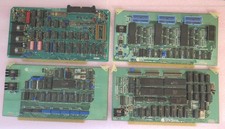
Vintage S-100 California Computer Systems cards Z80 cpu + ADS PromBlaster
$895.00

🔥 RARE VINTAGE HP 2113A 21MX 1000 E-SERIES MINICOMPUTER CHASSIS BACKPLANE
$249.00

Vintage Computer - PC Innovation Intel 486DX2 - Dos Ver 6.2 Windows 3.1
$250.00

🔥 RARE VINTAGE HP 2112A 21MX M-SERIES 16-BIT MINICOMPUTER HP
$299.99
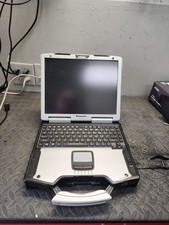
Panasonic Toughbook CF-29 Vintage Computer - Not Working parts
$89.95

Vintage Microsoft Windows NT 3.51 Workstation 3.5 Floppy Big Box Complete No COA
$139.99

HP 5060-8359 8K Semiconductor Memory Module 5080-9747 Vintage HP Computer
$224.72
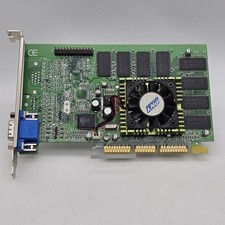
Vintage GF2MX40064SAGP PNY GeForce-2 MX400 64MB VGA/ AGP Video Graphics Card
$79.98

Vintage Jetway J-620BF Socket 370 Celeron AT Motherboard SiS 620 Brand New
$75.00

Vintage Hewlett Packard HP 13181-60074 Circuit Card Assembly / Interface Board.
$135.37