

 Reply With Quote
Maybe I found an answer....
Knoppix has a "Save Configuration" archive after the CD sets up. If I could email that to myself through a Yahoo account, perhaps I could run apply that to a hard drive install.


I've never been into themes and such, but it was love at fist sight.
I see theres a background pic on the CD, but how do I keep the entire "presentation" of Knoppix terminal session colors, icons, etc., the same with a HD install.
BTW, the "look" of Knoppix 3.3 is first rate.
TIA
Maybe I found an answer....
Knoppix has a "Save Configuration" archive after the CD sets up. If I could email that to myself through a Yahoo account, perhaps I could run apply that to a hard drive install.
I found this and was able to creat the email I wanted. Let's see if I can restore now . . .
Hi there,
I like this idea. I suggested it myself a couple of days ago but I think it might take a while to have it officially incorporated into the official knoppix. In any case, in the meantime, you can accomplish some of the same functionality by using these scripts:
#!/bin/bash
# Save this script as file savehome in the knoppix directory
# This script takes the contents of the knoppix home directory and
# saves it to a file
tar -cvvf /ramdisk/knxhome.tar /home/knoppix
gzip /ramdisk/knxhome.tar
scp /ramdisk/knxhome.tar.gz [email protected]:/home/username/knxhome.tar.gz
# end of savehome script
#!/bin/bash
# Save this script as file restorehome in the knoppix directory
# This script restores the knoppix home directory from a remote file
scp [email protected]:/home/username/knxhome.tar.gz /ramdisk
cd /
tar xfvz /ramdisk/knxhome.tar.gz
# end of restorehome script
I used scp instead of ftp because it is secure but you should be able to use ftp if security is not a consideration. After you save these files in the knoppix directory, make a copy of the restorehome script on your website also. (scp ~knoppix/restorehome [email protected]:/home/username/restorehome).
How to use these scripts:
1) before ending your knoppix session run the ~knoppix/savehome script from a console
That's it. Everything should now be saved, including all settings for the knoppix user. You can turn off the PC now.
2) Next time you use knoppix, boot in text-mode (knoppix 2)
3) at the # prompt, type "wget mysite.org/~username/restorehome" , you may need to adjust the path depending on how your website is set up.
4) at the # prompt type "./restorehome"
5) at the # prompt type "init 5"
Voila, you are back in your Xwindows session where you left off.
 Posting Permissions


Apple Computer cards VTG 670-8020-B 607-0103-C 607-0291-C AST -Orange Micro ++
$169.00

Vintage Apple Monitor IIc 9" Green Monochrome 06/1985 A2M4090 October 1984 Stand
$275.00

Vintage Apple II Avant-Garde Creations Super Shape Draw And Animate 1981
$295.00

Vintage Apple iBook G3 12.1” 500MHz 2001 Restored, SSD Upgraded Mac OS 9.2/OS X
$180.00

Rare Vintage Macintosh Apple Wooden Disk Storage Box Dovetailed
$69.95

Vintage Apple Rainbow Metal Case Emblem Logo rectangle
$49.99

LARGE LOT Vintage Apple Macintosh Mouse Cables Accessories SCSI etc - UNTESTED
$80.00
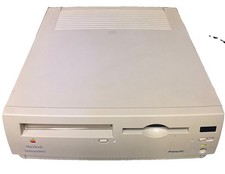
Vintage Apple Macintosh Performa 6300CD M3076 Powers On Chimes Untested As Is
$99.00

Vintage Apple Multiple Scan 15av Display Monitor M4681
$299.99

Apple cloth fabric banner iBook bondi blue orange NOS Vintage
$99.00