

 Reply With Quote
Also, Why is it that I fixed Knoppix up the background and stuff, and I Log Out and go back to windows for a bit and go back to Knoppix 10 minutes later, why does my stuff that I did get removed back to default version of knoppix


Well, This is my first time actually succesfully having any version of linux on my computer, anyway, I loaded up the CD kick ass it works, ok next....prob, I try to get onto internet, and no luck
, and tryed to do a search for modem only got my Ethernet which is on the motherboard, I do not use it, I use a USB Cable. So if anyone has any information on how I can get my internet to work I would be very greatful thank you.
-SniperNeo
I have a broadband connection using a USB port, I'm a newbie but I think the module that drives this device is called 'CDCEther' and you can make sure it is loaded with 'modprobe CDCEther' - from the 'Root shell' (Knoppix menu).
Then type 'netcardconfig' and it should show two ports, your onboard ethernet (eth0) and a second one, your USB connection - eth1 - either choose DHCP or enter the correct settings (your ISP will have given you those).
If any of this is wrong - can someone else help this chap!
Stu.....
well since you are giving a shot to linux and trying something new, why dont you try hooking up a network cable to eth0 rather than going through usb. usb network is for computer illerate. sign of linux/knoppix shows your interest towards computer literacy.
is it making any sense. i have never used usb networking but i think ethernet networking would be much more simplier and easier.
good luck
I'm betting his cable modem only connects via usb. There are some cable and dsl modems out there like this. If not, then yes I would deffintely go for ethernet.Originally Posted by certifieduser
If you have a fairly powerful PC, the overhead using USB doesn't matter and you can use the 'spare' ethernet port for a home network! (saves a bit of cash!)
Stu.....
I have a Ethernet one but, I have had problems trying to install it for regular windows, so I thought it would be best I stick with USB which is slower at times, I will try the Ethernet Cable in a few minutes from my cable modem to my Ethernet card inside my PC, and see what happends other wise I will do that other suggestion someone said about the konsole, ok well. I will tell you what happend wish me luck
Well, i tryed to install the danm, thing, wouldn't work, so I am off to try the USB version, I tryed everyting I could to get the thing to work, so like I said I am off, I will tell you what happen later, also does anyone know why all my settings reset to default and I lose what I transfer over everytime I loggoff of Knoppix?
Alright, I tyred to do the thing "Stu...." said with Modprobe and stuff, Well it found 3 things but failed or something and 1 said that the operation couldn't be done like a restriction. So I can't get onto the netso I still need some help. Thanks
Superneo, if you could post the cable modem manufacturer and model number it would be very helpful in trying to help you.
 Posting Permissions


INTEL XEON E5-2680V4 SR2N7 2.40GHZ CPU
$11.00

Dell Precision Tower 7810 Xeon E5-2630 v3 @ 2.40GHz , 32GB Ram, NO HDD, NO OS
$239.99

Dell EMC PowerEdge R440 Xeon silver 4215 2.5GHz 16 GB ram 2x 550W PSU No HDD
$275.00

Dell Precision T7820 2x Xeon Silver 4114 2.20GHz 950W No RAM GPU HDD 4x SATA
$350.48

Dell Precision T5820 Workstation 3.70GHz W-2135 No RAM/ GPU/ HDD/ OS
$179.98

Intel Xeon E5-2699 V4 2.20GHz 55M 22-CORES LGA2011-3 Server Processor 145W SR2JS
$84.49
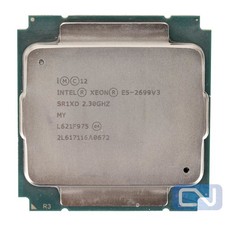
Intel Xeon E5-2699 v3 18 Core 2.3 GHz 45MB SR1XD LGA 2011-3 B Grade
$15.95

Intel Xeon E5-2690 v4 SR2N2 14 Core 2.6GHz 35MB LGA2011-3 CPU *km
$15.99

Dell Precision T5820 950W Workstation 4.00GHz W-2125 No RAM/ GPU/ HDD/ OS
$144.98

Intel Xeon Phi 5110P 60-Core 1.053GHz Coprocessor
$50.00