-
Senior Member
registered user
lilo.conf
When I boot from the CD I need the boot string:
knoppix vga=normal screen=1024x768 xvrefresh=60
how do I specify this boot sequence in lilo.conf?
I replaced the first line of lilo.conf with vga=normal instead of vga=791 and I added knoppix screen=1024x768 xvrefresh=60 to the beginning of the append string. This does not get me 1024x768 res however!
TIA,
-
Senior Member
registered user
Boot up with your cd and use the necessary "cheat-codes" to get X running as you want it, then mount your hd read/write and save the knoppix created /etc/X11/XFC86Config-4 file to your hd in etc/X11, then when you boot up your hd you will have the same XF86Config-4 file on your system as when you boot with the cd and proper cheat-codes.
Note: many of the knoppix cheatcodes are for knoppix hardware detection and setup and are not kernel parameters so you can't pass them to the kernel with lilo.
HTH
~rock
-
Senior Member
registered user
OK, Rock, that sounds doable.
BTW, so I should remove what I added to the append string, right? Also, should I leave vga=normal on the first line of lilo.conf?
EDIT: I'm having lots of problems with CUPS on my hdinstalled PCs using localhost:631. I have no problem configuring printers when running off the CD. Could something similar be done as you suggest above? IE: could I copy /etc/cups/cups.conf (or some other file?) that is configured correctly by the CD to my hdinstall?
Thanx!
-
Senior Member
registered user
OK, Rock, as usual, your advice is rock solid! I got my video on my hdinstall back to what it was with the CD boot.
All I had to do was mount hda7 and make it rw from the desktop. Then in a root shell I cp /etc/X11/XF86Config-4 /mnt/hda7/etc/X11/XF86Config-4 and reboot without the CD. Viola, ca c'est fini!
I'm teaching my students about java applets. Now I have an applet running on my home PC with width=600 and height=600 and I can see the whole thing in one Knoqueror window. My Dell at home has screen=1280x1024. At school, before I copied the KNOPPIX adjusted XF86Config-4 file, my students could not see much of the applet running by default 800x600 or less (I'm not sure). The Dells at school should default to 800x600 according to the manual, but it looks even smaller. At least now, at 1024x768, they see most of the applet. BTW: the applet in question is at http://calcpage.tripod.com/applets/drunk
Thanx!
-
Senior Member
registered user
Almost looks like you're playing Go, which I suppose makes sense, given your chess avatar.
JD
-
Senior Member
registered user
Well, actually, its a random walk in 2D (hence the name drunk).
BTW, anyone with experience with applets now if there's some way to see the drunk as he walks instead of the whole plot once the walk is done?
Regards.
-
Senior Member
registered user
leave the vga=normal line
and remove your changes to the append line
easy way to set up (configure) X, huh!
~rock
-
Senior Member
registered user
OK, good, that's what I did! Thanx.
BTW, what about configuring printers this way....
Regards,
-
Question
What kind secrets in the lilo.conf?
If we try to open etc/lilo.conf we can see there....bla-bla
go further to the end of lilo.conf
Label=Linux
something here
label=LinuxOLD
something here too
and in my lilo.conf...I have
Label=WinNT(hda1)
So, why on the lilo menu screen after reboot only:
Linux
WinNT(hda1)
Where LinuxOLD gone?
Now, try to rename label=Linux to Label=Knoppix or whatever you like...
run /sbin/lilo
and reboot
AND AGAIN lilo menu with
Linux
WintNT(hda1)
But where label Knoppix gone?
I am stuck with kernel compiling, I cant see another choices in Lilo menu
( I been trying add lines Linux-2.6-test), but the comp starts with choices:
Linux
WinNT(hda1)
What I need to do to see whole menu with choices?
-
Senior Member
registered user
Lilo will ignore anything that gives errors in the partition setup, that's why linux-Old is ignored.
Post your lilo.conf file and partition information so we can try to help.
~rock
Similar Threads
-
By tomjermy in forum Hardware & Booting
Replies: 1
Last Post: 03-17-2005, 01:07 AM
-
By totenengle in forum General Support
Replies: 2
Last Post: 07-09-2004, 03:39 AM
-
By *ix Newbie in forum Hdd Install / Debian / Apt
Replies: 5
Last Post: 12-20-2003, 05:06 PM
-
By greenbridge in forum Customising & Remastering
Replies: 0
Last Post: 08-11-2003, 08:51 PM
-
By mordor in forum General Support
Replies: 0
Last Post: 03-28-2003, 07:42 PM
 Posting Permissions
- You may not post new threads
- You may not post replies
- You may not post attachments
- You may not edit your posts
-
Forum Rules


USB 3.0 Flash Drive 32GB 64GB 128GB Memory Stick Thumb Stick Lot Pack
$826.09

TF/SD Card Adapter Camera Reader Android Type-c For iPhone17 Pro Max Plusm lot
$573.98

1/ 10/ 100pcs USB 2.0 2GB, 4GB ,8GB ,16GB ,32GB ,64GB 128GB USB Flash Drives Lot
$202.50

5 in 1 Memory Card Reader USB 3.0 OTG Adapter SD Card Reader For iPhone/iPad LOT
$9.99

Kingston 32GB 64GB 128GB 256GB USB 3.0 Flash Drive Thumb Memory Stick Pen lot
$285.90
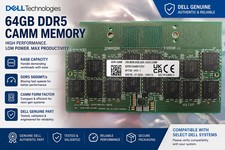
Dell Memory Module - 64GB - DDR5 - CAMM RAM - 5600MHz 16GX8
$599.98
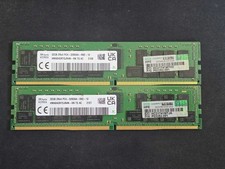
64GB (32GBx2) 2Rx4 PC4-3200AA ECC REG RDIMM HMA84GR7DJR4N-XN
$560.00

USB 3.0 Micro SD SDHC TF Card Reader Memory Adapter for PC Laptop Camera lot
$3.75

Windows 11 Pro Install/Recovery/Repair USB Flash Drive
$35.00
Micron MTA18ASF2G72XF1Z-2G9WP1ABVGD 16GB 1Rx4 NN4-2933Y DDR4 ECC NVDIMM
$74.50



 Reply With Quote