-
USB Question
Hi,
I'm really new to Linux OS and have a question about USB. How can I browse a USB device in Knoppix (or any other distro)?
I have a PDA (IPAQ 3950 w/PocketPC 2002). I really don't want to synch anything. I would just like to browse the storage on the device and have the ability to transfer mp3's and pdf's from Linux over to the PDA.
What steps are needed to do this?
Thanks Much,
Brian
-
Senior Member
registered user
Re: USB Question

Originally Posted by
bpeasey
Hi,
I'm really new to Linux OS and have a question about USB. How can I browse a USB device in Knoppix (or any other distro)?
I have a PDA (IPAQ 3950 w/PocketPC 2002). I really don't want to synch anything. I would just like to browse the storage on the device and have the ability to transfer mp3's and pdf's from Linux over to the PDA.
What steps are needed to do this?
Thanks Much,
Brian
KNOPPIX is supposed to install and mount the USB storage automatically at boot up. So it should be just another icon on the desktop.
For generic procedure :
plug the usb device in and if you have the hotplug package installed, it would 'map' to a new device node, usually /dev/sda. Then you just 'mount /dev/sda your_mount_point' and after that, you can use it as it is all under your_mount_point/.
There is some package(is it supermount?) that automatically handles all these stuff but I haven't tried it as I have been getting used to the command line method.
-
Thanks Gary 
-
Other way is to have plugged the PDA while knoppix is being installed. Before this it will be automaticlly configured
-
Hi again,
No luck yet getting my PDA connected. When I boot with my PDA in the cradle it doesn't show up on the desktop. But on another USB device (Digital camera) does show up on the desktop as sda1.
In KDE's 'Info Center' under USB both devices are listed under UHCI Root Hub (1). So at some level the OS can see the PDA
I tried looking for another eg. sda2 but they are all 0 bytes and "not a valid block device" when I try to mount.
Any suggestion appreciated.
Thanks again,
Brian
-
Senior Member
registered user
Originally Posted by
bpeasey
Hi again,
No luck yet getting my PDA connected. When I boot with my PDA in the cradle it doesn't show up on the desktop. But on another USB device (Digital camera) does show up on the desktop as sda1.
In KDE's 'Info Center' under USB both devices are listed under UHCI Root Hub (1). So at some level the OS can see the PDA
I tried looking for another eg. sda2 but they are all 0 bytes and "not a valid block device" when I try to mount.
Any suggestion appreciated.
Thanks again,
Brian
Pull the PDA(while the system has been booted, i.e. you are at the desktop or better yet open a xterm console) and plug it in again.
Then do a 'dmesg' at the xterm console. Post the last couple of lines of messages, if the system knows how to handle it, it would show something like /dev/sda etc. Otherwise, it means the system doesn't know how to handle it and YOU ARE OUT OF LUCK. USB support under linux still has much to be desired but it is getting better and better, say 2.4.22 is much better than 2.4.20 about 6 months ago.
-
USB Pen drive
I have a similar question. I have a USB pen drive and when I plugged it in, an automated process came up wich I followed by entering my root password and it installed the flash "driver."
I can't "find" the drive so that it could be mounted on the KDE desktop. I booted the machine with it in and then went to Desktop settings and showing this type of device as either mounted or unmounted was not an option among the other storage possibilities.
Help.
-
Hi Gary,
Otherwise, it means the system doesn't know how to handle it and YOU ARE OUT OF LUCK. USB support under linux still has much to be desired but it is getting better and better, say 2.4.22 is much better than 2.4.20 about 6 months ago.
I'm 'Out of luck'. No problem though, I understand what you say about USB and Linux. I'll continue learning what I can about the O/S.
Thanks for you help 
Brian
-
Suddenly, as om my last boot, my pen drive magically appeard as a mounted drive in the mnt subdirectory. Go Figure.
Brian H
-
I had the same problem. What I did was install 'usbmgr'. What this did was remove hotplug, and installed usbmgr. After that I was able to use and configure my USB devices.
Nick
Similar Threads
-
Replies: 5
Last Post: 07-09-2005, 04:40 PM
-
By mark1221 in forum Hdd Install / Debian / Apt
Replies: 2
Last Post: 11-01-2003, 10:32 PM
 Posting Permissions
- You may not post new threads
- You may not post replies
- You may not post attachments
- You may not edit your posts
-
Forum Rules


Fujinet 1.7.1 Atari 400 800 800XL 130XE 65XE XEGS Assembled, Tested, Working
$99.99

Atari 400 / 800 Computer Memory Module 16K RAM PCB CX853 - Works Perfectly
$18.95
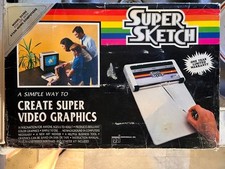
Vintage 1984: Super Sketch G2300 For Atari Home Computer
$72.00

GreaseWeazle v4 board USB floppy drive adapter Retro All Formats
$35.00
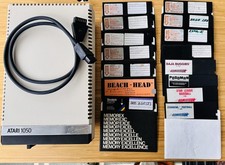
Vintage Atari 1050 Disk Drive w/ SIO Cable & 32 Games/Programs - UNTESTED
$67.76

Atari 1200 XL home computer with original owners guide and power supply power on
$255.00
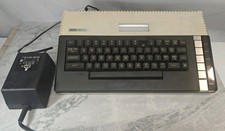
Atari 800XL 8-bit Home Computer System w/ AC Adap - Powers On -UNTESTED
$84.99

A8PicoCart Multicart for Atari 800xl /65xe / 130xe / XEGS
$16.95
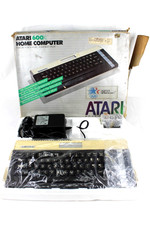
VTG Atari 600XL Home Computer System in Box ** Powers On ** Clean * Tested Works
$148.75
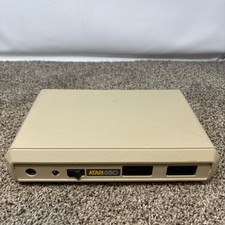
Atari 850 Interface Module For ATARI 400/800 Computer Vintage Tested
$50.00



 Reply With Quote