-
Senior Member
registered user
The latest version (Knoppix 3.3) has a new installer.
Command is now 'knoppix-installer' not 'knx-hdinstall'
i.e. 'sudo knoppix-installer' from console
There is now a choice 'knoppix mode' or 'debian mode'.
Knoppix mode will run exactly like the CD i.e. it will re-autodetect your hardware, re-write fstab & re-mount all your drives in default locations each time it boots.
Debian mode does not use the knoppix startup/shutdown scripts & will install on your HD as a Debian system.
Personally I prefer the Debian mode system.
You must have at least 2.4 Gig partition on the HD to receive knoppix.
 Posting Permissions
- You may not post new threads
- You may not post replies
- You may not post attachments
- You may not edit your posts
-
Forum Rules


16GB KIT (2x8GB) DDR3 Gamer Desktop RAM PC3 MIXED BRANDS VIPER VENGEANCE FURY
$10.00

Netac DDR4 32GB 16GB DDR4 3200MHz UDIMM C16 Desktop Internal Memory RAM Kit
$99.99

A-Tech 8GB DDR3 1600 PC3-12800 Laptop SODIMM 204-Pin Memory RAM PC3L DDR3L 1x 8G
$21.68
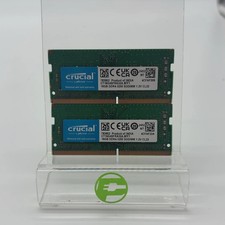
Crucial Laptop Ram 32GB (2x16GB) RAM DDR4 3200MHz CT16G4SFRA32A
$119.99
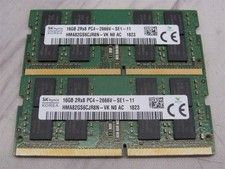
32GB KIT - 2x SK Hynix 16GB 2Rx8 PC4-2666V DDR4 SODIMM Laptop Memory RAM
$99.99

Major Brand 16GB (2x8GB) PC3-12800U DDR3-1600MHz DDR3-12800 DESKTOP RAM NON-ECC
$29.99

Samsung 32GB DDR4-2666V-2Rx4-RB2-12 RAM M393A4K40CB2-CTD6Q
$169.00

Samsung 16GB LPCAMM2 PC5 7500 DDR5 LPDDR5X CAMM2 M561K1LC4DM0-CCTGM RAM Memory
$189.00
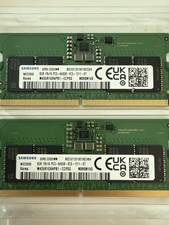
LOTS of 2 Samsung 8GB (8x2 16GB) DDR5 RAM Memory M435R1GB4PB1-CCPSG PC5-6400B
$150.99
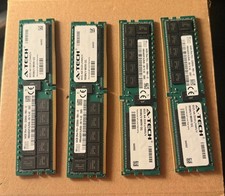
SK Hynix 256GB (4x64GB) DDR4 3200MHz PC4-25600 ECC RDIMM 288-Pin Workstation RAM
$1950.00



 Reply With Quote