
Results 1 to 7 of 7

Thread: Anyone finding the knoppix/kde S-L-0-W?

  1. #1
    Senior Member registered user
    Join Date
    Mar 2003
    Posts
    149

    Anyone finding the knoppix/kde S-L-0-W?

    KDE has always been slow.

    However I now have a 2.5 gig chip, knoppix, and gigs of ram.

    I finally decided to try kde out.

    It took a very long time.......even long for the kde, especially on my hardware for many of the kde apps to come up.

    Could this possibly be a knoppix thing?

    I mean if KDE isn't snappy on a 2.5 gig chip something is wrong.

    Just curious

    Steve

  2. #2
    Senior Member registered user
    Join Date
    Mar 2003
    Location
    Belgium
    Posts
    252
    Are you working on live-cd ?

  3. #3
    Senior Member registered user
    Join Date
    Mar 2003
    Posts
    149
    Quote Originally Posted by ktheking
    Are you working on live-cd ?
    Nope, I have knoppix installed to my hard drive.

    I have a 2.5 gig chip and gigs of RAM

  4. #4
    Junior Member
    Join Date
    Nov 2003
    Posts
    5
    You can always try a different window manager to see if it is KDE causing the problem.

    If you want something lightweight give fluxbox a try. As long as the KDE libraries are installed you can run KDE apps using any window manager. If you decide you like fluxbox make sure to get fluxconf, fluxkeys, and fluxmenu. They make it a cinch to configure.

  5. #5
    Senior Member registered user
    Join Date
    Oct 2003
    Location
    Midlands, UK
    Posts
    145
    I don't think Knoppix sets DMA for the drives on by default, this might help (use something like: hdparm -d1 /dev/hdx ) - I agree tho' KDE is a bit slow.

    Whilst I'm thinking about it, the 'find file' is REALLY slow on my machine, is this because I have a few partitions incl. FAT32 or is it just KDE.....

    Stu.....

  6. #6
    Senior Member registered user
    Join Date
    Mar 2003
    Posts
    149
    Quote Originally Posted by DRJ
    You can always try a different window manager to see if it is KDE causing the problem.

    If you want something lightweight give fluxbox a try. As long as the KDE libraries are installed you can run KDE apps using any window manager. If you decide you like fluxbox make sure to get fluxconf, fluxkeys, and fluxmenu. They make it a cinch to configure.
    I've been using icewm for a year......and its fast.

    I just thought that I wold give KDE a look and was shocked how slow it is.

    Steve

  7. #7
    Senior Member registered user
    Join Date
    Mar 2003
    Posts
    872
    not my experience on my lowly spec. PII400/256MB and Celeron733/320MB. KDE runs fine and snappy on both systems. It is a bit slow to load up(from startx to seeing the desktop) but after that it seems to be faster in general than XP.

Similar Threads

  1. Knoppix not finding SATA drive
    By Hedge in forum Hardware & Booting
    Replies: 2
    Last Post: 05-15-2005, 04:48 PM
  2. Finding knoppix compatable hardware
    By macstrat in forum Hardware & Booting
    Replies: 2
    Last Post: 05-11-2005, 06:13 PM
  3. Knoppix 3.8.1 BUG FOUND: Not finding "home=" parti
    By jrhall in forum Hardware & Booting
    Replies: 2
    Last Post: 04-24-2005, 05:16 AM
  4. help with finding app
    By helios17 in forum General Support
    Replies: 3
    Last Post: 10-01-2004, 04:37 AM
  5. Finding programs
    By bob58 in forum General Support
    Replies: 2
    Last Post: 04-02-2004, 08:58 PM

Posting Permissions

  • You may not post new threads
  • You may not post replies
  • You may not post attachments
  • You may not edit your posts
  •  


Lenovo ThinkPad L13 Yoga Touch Laptop 13.3” Core i5 8GB RAM 256GB SSD Win 11 Pro picture

Lenovo ThinkPad L13 Yoga Touch Laptop 13.3” Core i5 8GB RAM 256GB SSD Win 11 Pro

$239.99



Lenovo ThinkPad L15 Gen 3 15.6

Lenovo ThinkPad L15 Gen 3 15.6" 16GB, Thunder Black

$241.50


Lenovo Yoga 11e Gen 5 2-in-1 Touchscreen 11

Lenovo Yoga 11e Gen 5 2-in-1 Touchscreen 11" HD Laptop 4GB 128GB SSD Windows 11

$99.99



Lenovo ThinkPad E14 Gen 3 Laptop 14” FHD AMD Ryzen 5 16GB RAM 512GB SSD Win 11 picture

Lenovo ThinkPad E14 Gen 3 Laptop 14” FHD AMD Ryzen 5 16GB RAM 512GB SSD Win 11

$374.99



Lenovo ThinkPad E14 Gen 2 Laptop 14” HD Ryzen 5 16GB RAM 512GB SSD Win 11 Pro picture

Lenovo ThinkPad E14 Gen 2 Laptop 14” HD Ryzen 5 16GB RAM 512GB SSD Win 11 Pro

$319.99



Lenovo ThinkPad T14 Gen 1 14

Lenovo ThinkPad T14 Gen 1 14" AMD Ryzen 5 16GB 256GB SSD

$219.99
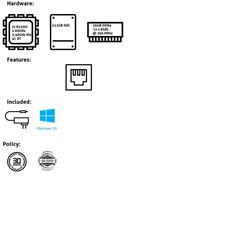


LENOVO 11AWS0AS00 i5-8250U 0 GHz 16GB RAM 512GB SSD Windows 11 picture

LENOVO 11AWS0AS00 i5-8250U 0 GHz 16GB RAM 512GB SSD Windows 11

$5000.00



Lenovo ThinkPad T14 Gen 2 i5-1145G7 16GB 512GB SSD Touch Win 11 Pro Good picture

Lenovo ThinkPad T14 Gen 2 i5-1145G7 16GB 512GB SSD Touch Win 11 Pro Good

$261.99



Lenovo ThinkPad L15 Gen 3 15.6

Lenovo ThinkPad L15 Gen 3 15.6" 16GB, Thunder Black

$241.50



Lenovo ThinkPad T495 14” Laptop AMD Ryzen 5 PRO 16GB RAM 256GB SSD Windows 11 picture

Lenovo ThinkPad T495 14” Laptop AMD Ryzen 5 PRO 16GB RAM 256GB SSD Windows 11

$229.99
