

 Reply With Quote
Hi, did you also read this tutorial? It explains how to build a kiosk system starting with Knoppix. Good luck, and don't forget to report back!


Ok, I'll be the first to admit, I am a total n00b at Linux, even though I have been playing around with it for almost a year now, only in the past few weeks have I decided to become serious about learning Linux. Here is my issue:
For work I need to create a Linux kiosk that will boot from a CD and run in a kiosk mode. By this I mean, the PC needs to "auto login" and then launch a browser to a web site. The broswer and the OS can not eb changed by the user. The user only should have access to navigate the web site and thats it. I have read a lot of kiosk tutorials, and I think Knoppix is the best Distro for my choice, but I know I will need to make changes and then remaster it. Here is where I am stupid, I have no clue where to start. I have the lastest version of Knoppix and a lot of printed pages to help me, but I just can't seem to make any of the commands work. I would really appreaciate the help!
I will look like a hero if I can convince my boss to dump M$, and go with Linux. I am not afraid to tell my boss that i got help. So thanks in advance. This seems like a great community.
Hi, did you also read this tutorial? It explains how to build a kiosk system starting with Knoppix. Good luck, and don't forget to report back!
Yes I have read that one and a few others. The biggest issue seems to be when I try the Knoppix Remastering HOWTO, the part when you copy the KNOPPIX directory to the knx\source\KNOPPIX and the knx\master\KNOPPIX, I always get an error the there is no more space left on the drive, yet the drive has about 29G free! I am sorry if I seem so stupid, but I have been a Windows guru for a long time, and getting to know the Linux commands is mind boggling to me... LOL! But I am bound and determined to become a Linux guru, no matter how long it takes, I just need help from others.
We use a mozilla kiosk that works in linux, and an IE kiosk in windows. This page explains it:
http://www.cclug.org/wiki/Main/KioskMode
Thanks, I will check it out and give it a whirl. I can't wait until I get some good Linux experience, I feel so stupid trying to do stuff right now, almost like when I went from M$-DOS 6.22 to Windoze 95.
The other requirement for my project though is to make the kiosk run from CD only, no HDD needed, so Knoppix seems to be my logical choice. I am just having a major issue trying to follow the tutorials on remastering. When something doesn't work as explain in them, I sit in front of the PC with a blank stare on my face
Again, I appreciate any help that any one can give me. I am so willing to learn!
I wanted to give more detail on what I am trying to do, maybe it has already been done. I want to do my own remaster, but I am too dumb to figure it out! LOL!
SPECS:
Internet KIOSK running Linux - to access a jobs hiring page only
DO not use HDD
Run from CD only
PC must boot directly into browser and start the jobs hiring URL
user must not have access to anything in the OS (in other words, the user should only see the browser in full screen, no broswer menus, no OS toolbars, nothing).
The only way to get out of the kiosk would be to power it off physically (the PC is inside a locked kiosk).
I hope this better explains what I am trying to do.
Thanks to anyone who can help. I am still trying to work on the remastering, but it just isn't working properly for me for some reason, even though I am following the tutorial to a T.
With the right version of mozilla, the mozilla kiosk will go full screen, and with no keyboard access, there is no way out. Right click can be disabled with javascript. It can be auto launched from xsession or windowmaker.
I know I am asking a lot of someone, but is there a step by step guide on how to do this. Remeber I am rather new to Linux, and seem to be having trouble with many of the guides that I have read. Most are well written, but assume that you know many of the commands without going into detail. I am working on learning as much about Linux as I can, but the time line in which I need to get this project completed, does not allow me the time to become a Linux expert first - LOL! I have many Linux books, read online tutorials, and printed out hundreds of pages of KIOSK setup guides. Maybe I am just dumb, but I just can't seem to make everything work as written. It's my own fault for not trying to learn Linux sooner, but Windoze has been my mainstay for a long, long time, and I guess I am stuck in the M$ mindset as far as how OS'es work. I really want to switch to a Linux distro at home too. I have a few extra PC's at home running different Distros, Lindows, SuSE, and Lycoris, but I just can't seem to ween myself away from my XP box. One day I hope to be able to be the one on here offering advice, but until then, I appreciate everything that you all are helping me with.
A big thanks from PA!
If you can leave a floppy in the pc, you could save your knoppix configuration to that; and you might be able to use just a knoppix custom boot cd without having to do a remaster.
The custom boot cd is explained on this page:
http://www.cclug.org/wiki/Main/KnoppixTricks
Thanks I am making a little progress finally as I am picking a few things up here and there. My biggest question is how do I make the system boot directly into a full screen browser that is locked down. The user must only have access to whats in the browser window, no toolbars and no "start" menu at the bottom for the OS, in other words a true internet kiosk that can browse web pages only. I also what the system to reboot if anything happens, it can not shutdown and eject the CD, it must reboot into the "kiosk".
Thanks again!
 Posting Permissions


Intel Core i7-3770K 3.5 GHz Processor
$39.00

Intel Core i7-9700 3.0 GHz Octo-Core (SRG13) Processor
$79.00
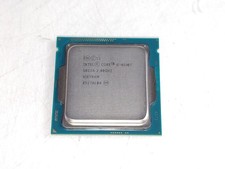
Intel Core i5-4590T 2 GHz 5 GT/s LGA 1150 Desktop CPU Processor SR1S6
$14.99

AMD Ryzen 7 PRO 8700GE 8-Core/16-Thread Up to 5.1GHz AM5 (FL1)
$189.00

Intel SRG17 Core i7-9700T Desktop Processor CPU
$79.99

Intel Core i7-9700 SRG13 3.0 GHz Desktop CPU
$80.00
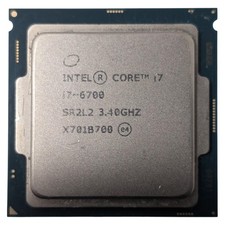
Intel Core i7-6700 Processor (3.40 GHz, 4 Cores, LGA 1151) - SR2L2
$34.99

Matched Pair _ Intel Xeon E5-2698 V4 2.2GHz 20-Core Processor CPU LGA2011 SR2JW
$94.99

PS5 Over Heating Problem Solver 1.5 Grams Liquid metal thermal paste CPU, GPU
$15.99
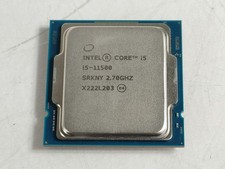
Intel Core i5-11500 2.70 GHz LGA 1200 Desktop CPU Processor SRKNY
$94.99
