-
apt- get update problem
Every-time i keep trying to run "apt- get update" from the root, it keeps saying stuff like "cant fetch, ftp://bahbah.url.bahbah.com read only file system, failed to open" until it reaches 100% how do i fix this? i think i got to fix some permissions on my computer, but i dont know how can anyone explain step by step?
Also, im using a cd to boot, how do i save my settingss do i dont lose my dsl connection and files every time i start up/
Thanks.
-
Senior Member
registered user
In order to update the software, you have to install it to the hard drive. If you are running from CD, you can write and change anything on the CD (what you would need to do to update packages).
Apparently, there is an "live-CD" installer in the works that allows you to "install" software while running from CD. See this post:
http://mailman.linuxtag.org/pipermai...er/004252.html
For saving you files and settings, you must create a "persistent" home directory:
http://www.knoppix.net/docs/index.ph...stentHomeHowTo
-
It says its not needed and i have the latest Knoppix version, now what?
-
Senior Member
registered user
Once I hdinstall my PC, all I need do is run apt-get update every week or two and I never need to download another ISO to stay up to date, right?
BTW, what's the difference between update and upgrade? Also, I know how to install and remove, but how do I know what's available out there to install?
TIA,
-
Once I hdinstall my PC, all I need do is run apt-get update every week or two and I never need to download another ISO to stay up to date, right?
Hi,
If you don't care about updating your kernel, apt-get is all you need.
Someone please prove me wrong, 'cause that's what I believe 
BTW, what's the difference between update and upgrade?
update updates your packagename and -version database to know what upgrade will need to upgrade. Hmm, not very clearly put, better have a look at $ man apt-get
how do I know what's available out there to install
You mean all the debian packages, or new versions of the ones you have?
I'd normally browse at http://packages.debian.org/testing/
but it's down for the moment 
Try $ apt-cache search packagename/part_of_a_packagename
You can also do $ cat var/lib/dpkg/available
Man pages tell you a lot
Similar Threads
-
By humi001 in forum Hdd Install / Debian / Apt
Replies: 3
Last Post: 02-10-2005, 12:36 PM
-
By lmsaga in forum Hdd Install / Debian / Apt
Replies: 2
Last Post: 04-25-2004, 12:29 PM
-
By Durand Hicks in forum General Support
Replies: 1
Last Post: 04-24-2004, 03:42 AM
-
By AP in forum Customising & Remastering
Replies: 4
Last Post: 04-07-2004, 05:50 AM
-
By Max in forum Hdd Install / Debian / Apt
Replies: 6
Last Post: 12-27-2003, 10:07 PM
 Posting Permissions
- You may not post new threads
- You may not post replies
- You may not post attachments
- You may not edit your posts
-
Forum Rules


Microsoft SQL Server 2019 Enterprise 40 Core Unlimited CAL Retail License FPP
$299.00

Ubuntu Server 26.04.1 LTS Bootable USB Flash Drive – Latest September 2026
$12.99

OPNsense pfSense 8-Core Atom C3758 2.2GHz 8GB DDR4 64GB SSD 8x NIC QAT AES VPN
$115.00

1U Rackmount PC Intel Core i5-2520M 8GB RAM 500GB HDD Ubuntu Linux Server
$109.99

All New Ubuntu 26.04 LTS Linux Bootable USB Flash Drive
$15.95

Start9 Server Pure 32GB 4TB Intel i7 Node StartOS — Box + PSU
$649.00

Toshiba Magnia SG20 VPN Linux server Web server (No HDD, *Read*) -
$60.00
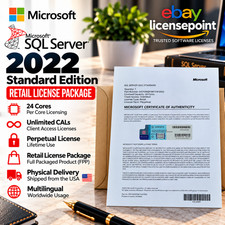
Microsoft SQL Server 2022 Standard 24 Core unlimited CAL Retail License Package
$199.00

Sun Enterprise e450 400mhz cpu(x4), 4gb ram, 9gb HD w/spud most complete on ebay
$500.00

SQL Server 2022 Enterprise 96 Core License & DVD Unlimited CALs with CoA
$284.99



 Reply With Quote