

 Reply With Quote
Check out this URL.
http://www.roaringpenguin.com/products/rp-pppoe/
And look at the HOW-TO-CONNECT link.


i am using knoppix 3.3 and when i run it from the cd i can connect to the net just fine w/ pppoe. but then when i installed it on my hard drive it says that its connected but i can't get any web pages to come up or ping anyone. anybody have any ideas?
Check out this URL.
http://www.roaringpenguin.com/products/rp-pppoe/
And look at the HOW-TO-CONNECT link.
My experience: set it up in root. Run the ADSL/PPPoE Configuration there, then when you are back in your user mode, it should work OK.Originally Posted by chet1211
~~~~~~~~~~~~~~~~~~~~~~~~~~~~~~
-- Michael Rudas
Oak Park Computer Club: http://opcc.2ya.com
Metro Detroit Linux Users' Group: http://www.MDLUG.org
PenguiCon 2.0 Open Source & Science Fiction convention, April 2004: http://www.PenguiCon.org
 Posting Permissions


AMD Ryzen 5 5500 Processor ( read Description)
$59.00

Intel Core i7-4770 3.40GHz Quad Core SR149 LGA 1150 CPU Processor tested
$35.00

INTEL CORE I9-10940X X-SERIES PROCESSOR | 3.30GHZ | SRGSH
$179.99
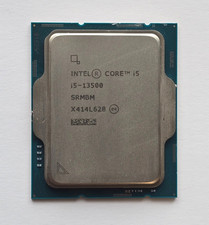
Intel Core i5-13500 2.5GHz/4.8GHz Boost 14-Core SRMBM LGA1700 Desktop Processor
$165.00

Intel Core i7-9700 Octa-Core 3 GHz Desktop Processor LGA 1151
$79.99

Intel Core i7-3770K 3.5 GHz Processor
$39.00

Intel Core i5-12500T SRL5W 2GHz 18MB 6 Core Socket LGA1700 Desktop CPU Processor
$114.99

Intel i7-8700 Coffee Lake 3.2GHz 6-Core Max Turbo 4.6GHz Processor
$67.99

Lenovo ThinkCentre M920s SFF Barebones PC Motherboard PSU DVD No CPU RAM SSD
$27.99

INTEL CORE I9-10980XE PROCESSOR | 3.00GHZ | SRGSG
$299.99