

 Reply With Quote
Hi,
did you try:
orCode:knoppix-txt xvrefresh=60
orCode:fb800x600
at the boot prompt?Code:failsafe
regards


OK I am stuck with a dinasour of 14" monitor that will
only work in VGA mode at 800x600 - problem is that
trying screen=800x600 simply does not work
I tried messing with the hor and vert sync but to no avail.
IS there a way to get a true vga mode(like topogilinux)?
Hi,
did you try:
orCode:knoppix-txt xvrefresh=60
orCode:fb800x600
at the boot prompt?Code:failsafe
regards
I use an even older 14" vga unit on the test bench. You need to enter BOTH cheat codes:
knoppix vga=normal screen=640x480
Always works for me.
OG.
The failsafe mode does not work but setting vga=normal and
screen 640x480 works like a charm!
I am very impressed with Knoppix so far
..unfortunately the ppoe client does not seem to understand
the modified form of the protocol here in Korea
(making linux almost impossible for the adsl user) but that
is another story...
 Posting Permissions

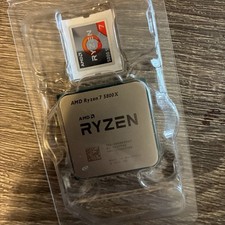
AMD Ryzen 7 5800X Desktop Processor (4.7GHz, 8 Cores, Socket AM4)
$169.99

Corsair RM750e 750W Fully Modular 80 Plus Gold ATX 3.1 PSU Certified Refurbished
$44.99

Intel Core i7-9700 3.0 GHz 8 Core Processor
$85.00
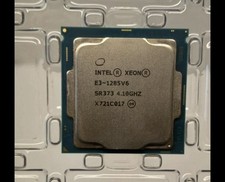
INTEL XEON E3-1285 SR373 V6 4.10GHz 4-CORE 8 MB LGA 1151 CPU PROCESSOR
$89.00

Intel Core i7-7700T 2.9GHz 8MB Socket LGA1151 Quad Core Processor SR339
$39.99

Intel i7-8700 Coffee Lake 3.2GHz 6-Core Max Turbo 4.6GHz Processor
$69.99

Intel 4th Gen Core i7-4790 SR1QF 3.60GHz (Turbo 4.00GHz) 8M 4-Core LGA-1150 CPU
$39.99

Intel Core i7-9700 SRG13 3.0 GHz Desktop CPU
$80.00

PS5 Over Heating Problem Solver 1.5 Grams Liquid metal thermal paste CPU, GPU
$15.99
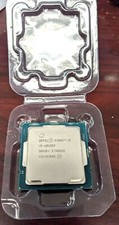
Core i3-10105F 4-Core Comet Lake Processor 3.70GHz 8GT/s 6MB LGA 1200 CPU Tray
$79.00