-
Junior Member
registered user
move Knoppix to the hard drive problems cfdisk fatal error
yeah. lets say for example, I wanted to copy knoppix to the hard drive, and run and boot it from there,
how would I do that exactally?
someone said there is a script to do so on the Knoppix CD, where is that at?
say for instance, I wanted to use my existing partition
/dev/hda3 (13 gig) for my Linux root
/dev/hda5 (1.3 mb) for my Linux swap
how would I format these partitions (currently they have redhat on them) how would I format these partitions and put Knoppix on them instead?
I tried to use cfdisk in Knoppix, but it gave me an eror
"fatan error, Cannot Open DIsk Drive"
the hard drive is set to 'read only" I guess, so how would I disable
this to format my partitions? I want to keep the partitions the same,
just format them and put Knoppix on them is what I'm trying to do
hda3 is where I want Linux native to be, and hda5 as my swap partition.
I noticed that knoppix won't swap to hard disk unless it finds a DOS partition, why is this? can't I just put it in my already existing ext3 partition? I don't mind formatting the partitions, fact I want to to get the redhat off there, but then how do I put knoppix on there instead? I don't see no script to do this,
other then saving desktop settings to hard drive, and that will only save to a DOS partition, which sucks actually.
(not sure what hda4 is, I know hda2 is my /boot partition for redhat, which I probably don't need in knoppix) and
hda1 is an NTFS partition and I don't want to put it there, want to leave
that alone basically. I'll probably have to put LILO in hda2 and put LILO in my MBR.
so how would I do this exactally?
so far I am yet to see a script on how to do this.
why doesn't knoppix come with this on the CD? since so many people
ask to do this. would only make sense.
thanks.
-
Junior Member
registered user
Re: move Knoppix to the hard drive problems cfdisk fatal er
nevermind 
at a terminal, I typed
knoppix-installer
it didn't say anywhere to do that, I just sorta figured it out on my
own I guess. it detected both my hda3 and 5 partitions and automatically used them accordingly, and then formatted them.
very nice I like it
only question I have now is,
can I put Gnome on here instead? I like Gnome so much better then KDE
and can I use Grub instead of LILO? Grub has more options then LILO
thanks
Similar Threads
-
By Phishman in forum Hdd Install / Debian / Apt
Replies: 5
Last Post: 11-12-2006, 08:06 PM
-
By Loafy in forum Hdd Install / Debian / Apt
Replies: 1
Last Post: 06-06-2005, 07:57 PM
-
By jaciii in forum Hardware & Booting
Replies: 0
Last Post: 12-19-2003, 06:49 PM
-
By ak47 in forum Hdd Install / Debian / Apt
Replies: 1
Last Post: 12-01-2003, 08:36 AM
 Posting Permissions
- You may not post new threads
- You may not post replies
- You may not post attachments
- You may not edit your posts
-
Forum Rules


(New) AMD Ryzen 7 5700X 8 Core 16 Thread AM4 Unlocked 3.4 GHz CPU OEM Tray
$174.99

Clear Touch Interactive Module CTI PCMOD PC55 ST i5 6core,8GB DDR4,256GB SSD NEW
$225.00
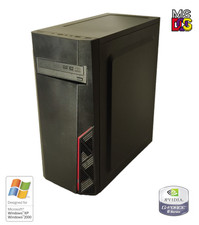
NEW* AMD Athlon 64 X2 4850e 4GB WinXP + DOS Custom Retro Gaming PC & 50+ Games
$295.00

Intel Core i9-9900 SRG18 3.10GHz 16MB 8-Core LGA1151 CPU Processor
$177.21

AMD Ryzen 7 9800X3D 8-Core 16-Thread AM5 Zen 5 Desktop Processor NEW
$395.00
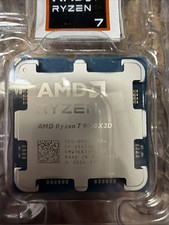
AMD RYZEN 7 9800X3D 8-Core, 16-Thread Desktop Processor
$379.00
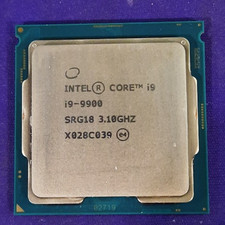
Intel Core i9-9900 SRG18 3.10GHz 8-Core Desktop CPU Prcoessor LGA1151
$165.00

Intel Core i9-9900K Coffee Lake 8-Core, 16-Thread, 3.6 GHz (LGA 1151)
$189.99
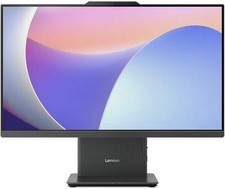
Lenovo IdeaCentre AIO 24IRH9 23.8” Intel Core I5-13420H 2.1GHz 8GB RAM 256GB SSD
$409.99

Home Assistant Server | 8GB RAM | 128GB SSD | Intel i5 Quad-Core | Dell OptiPlex
$124.69



 Reply With Quote