

 Reply With Quote
I´m not sure but knoppix partition is xfs after installing knoppix to hard disk and it may be the problem here.
is it knoppix kernel source for download at any place? in order to be able recompiling the ´original´ source.
It is not at /usr/src/


Hi,
I use knoppix to install debian on my machines.
On my laptop i wanted to use gatos (gatos.sourceforge.net) to get Xv and DRI working on the internal ATI-mach 64 videocard. However, to be able to insmod the mach64.o module I need cmpxchg in the kernel and the stock knoppix kernel doesn't have it enabled. So I wend about to compile my own kernel. I did the following:
apt-get install kernel-source-2.4.20
cd /usr/src
tar -xjf kernel-sources.2.4.20.tar.bz2
cd kernel-source-2.4.20
make xconfig
changed CPU-architecture to Pentium-III (for cmpxchg)
make-kpkg clean
make-kpkg --initrd --revision=custom.1.0 kernel_image
dpkg -i dpkg -i kernel-image-2.4.20_custom.1.0_i386.deb
Then I changed /etc/lilo.conf to point to the new kernel.
I reran lilo and rebooted.
I chose my new kernel.
The new kernel can't mount the root partition (reiserfs).
I've tried about everythin I can think of but I can't seem to get a working kernel that is able to mount the root partition.
Please help.
I´m not sure but knoppix partition is xfs after installing knoppix to hard disk and it may be the problem here.
is it knoppix kernel source for download at any place? in order to be able recompiling the ´original´ source.
It is not at /usr/src/
When I did a HDD install, I chose for reiserfs, I saw a reiser filesystem being made for the root partition. The new kernel is compiled with reiserfs support.
yes, but when i did hdd install i chose for ext3 but partition is xfs actually. I have debian in other partition whose kernel is compiled with ext3 support and without xfs support. If i run e2fsck on knoppix i get error 'system file not supported get a e2fsck new version'Originally Posted by hopman
Partition Magic 8 recognizes ext3 parttions but it knows anything about knoppix partition.
yes, but when i did hdd install i chose for ext3 but partition is xfs actually. I have debian in other partition whose kernel is compiled with ext3 support and without xfs support. If i run e2fsck on knoppix i get error 'system file not supported get a e2fsck new version'
Partition Magic 8 recognizes ext3 parttions but it knows anything about knoppix partition.
I tried fsck.reiserfs but it can't be run on a read/write mount and I can't remount root (/) because it is busy
However, I did find this in dmesg (line numbers added by me):
01. RAMDISK: Compressed image found at block 0
02. Freeing initrd memory: 166k freed
03. VFS: Mounted root (ext2 filesystem).
04. FAT: bogus logical sector size 0
05. FAT: bogus logical sector size 0
06. reiserfs: checking transaction log (device 03:02) ...
07. Using r5 hash to sort names
08. ReiserFS version 3.6.25
09. VFS: Mounted root (reiserfs filesystem) readonly.
10. Trying to move old root to /initrd ... okay
It looks to like /dev/hda2 (my root partition) is mounted as a reiserfs (lines 06-09), but what happens before that (line 03) ? It looks like something is mounted as root with a ext2 filesystem and then remounted as /initrd. Is initrd.img mounted as root first ? And if so could that be interfering with the new kernel ??
 Posting Permissions


Broadcom LSI 9305-16i 12Gbps SAS-3 PCIe x8 HBA 16-Ports Raid Controller
$64.99
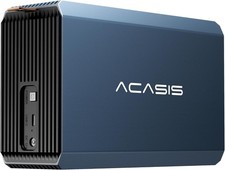
2-Bay RAID Enclosure for 2.5/3.5" SATA HDD/SSD External Hard Drive, USB 3
$59.99

Broadcom MegaRAID 9480-8e Fujitsu PRAID EP540e SAS RAID Card (Replac 9380-8e) 8i
$228.00

9300-8i LSI SAS3008 8-Port 12Gb PCIe IT mode ZFS FreeNAS unRAID 2*SFF-8643 US
$49.50

OWC Mercury Elite Pro 2 Bay RAID Enclosure with USB 3.2 for Dual 3.5 inch HDDs
$87.99

LSI 9260-8i 512MB SAS SATA 8-port PCI-E 6Gb RAID Controller Card US
$29.88

Dell PERC H740p Mini Mono RAID Controller 8GB 0878M 5FMY4 GP6RN
$55.00

MegaRAID 9580-8i8e 16-port 12G SAS/SATA/NVMe 8GB PCIe RAID - 05-50076-00
$1619.30

Intel VROC Premium RAID Controller Card PCIe Add-On Module VROCPREMMOD
$265.00

CalDigit VR minin 2 Portable Raid Storage On The Go
$75.00
