-
hdparm activates partitions on Toshiba laptop
This problem has been discussed in many forums. I hope this helps solve it. It works for me on a Toshiba Satellite S1800-614.
The problem:
Knoppix 3.3 on many Toshiba laptops hangs at the hard disk detection.
Starting Knoppix with the dma option will make it go past this first stumbling block, however the disk partition will still not be recognised.
Running cat /proc/partitions will confirm:
major minor #blocks name
3 0 19535040 hda
I.e., no partitions recognised
Solution:
From a shell run:
sudo hdparm -z /dev/hda
Now cat /proc/partitions should return all the correct partitions, e.g.:
major minor #blocks name
3 0 19535040 hda
3 1 11269566 hda1
3 2 6345675 hda2
3 3 1429785 hda3
3 4 1 hda4
3 5 489951 hda5
and you can progress to a hard disk installation or whatever you want to do.
Something strange:
I still have a doubt. If I run "sudo hdparm /dev/hda" I get:
/dev/hda:
multcount = 16 (on)
I/O support = 0 (default 16-bit)
unmaskirq = 0 (off)
using_dma = 1 (on)
keepsettings = 0 (off)
nowerr = 0 (off)
readonly = 0 (off)
readahead = 8 (on)
geometry = 2432/255/63, sectors = 39070080, start = 0
This output is the same before and after running hdparm with the -z option.
What is missing is a line like:
busstate = 1 (on)
which would normally appear using Knoppix 3.2. Strange!
More strange stuff:
If I don't use the "knoppix dma" option to boot, I'm pretty sure I get different behaviours depending on the content of the partition table. Sometimes Knoppix hangs, sometimes it returns "interrupt lost" errors. I've done lots of experimentation with partitions sizes and types (for reasons not related to the problem I'm describing) and it does seem to make a difference, especially swap partitions.
I think this is relevant but I don't know how. I may try to recreate a certain configuration and describe the results if you think it's important.
Other options tried:
Just for information, I've tried "failsafe", most of the "no-" and "irq" options. None of them works.
The way forward:
I have almost 10 years of unix experience as user/administrator but I'm relatively new to knoppix. I understand the problem could be with the knoppix HW detection script or with the kernel, but that's just what I gather from other postings.
I'm happy to progress the bug report and be a tester, but please give me some pointers on who I should be progressing this with. Thank you.
Regards
-
Same strange behavior with Toshiba 1800-S207
I have been experiencing the same problem you describe and not many people seem aware of it. Looking at dmesg output it shows a message telling "IDE: late registration of driver". Looking for that in Google it points you to kernel.org where it seems to be an issue with kernel 2.4.22. The last Knoppix I have been able to boot flawlessly was 2003-06-06 which is the last one of the recent Knoppix releases to have kernel 2.4.20. From there, all releases have had 2.4.22 and I have been unable to run any of these. If I had give Knoppix my first try today I would have say "Nice, when it works!". Having experience with Knoppix for almost a year, I have resorted to multiple 06-06 homemade customizations, missing some of the fun in current releases, like toram switch.
-
I have a new M10-S405 that I dual-boot Knoppix 3.3 (latest) and XP. Its centrino and I havent had an opportunity to even test wireless yet. The only thing I know of that doesnt work right-off is plugging a USB Mouse in after boot-up. Works fine of hot-plug detects it during bootup.
Video, sound, networking, mouse, pad, hard drive - everything works great!
Similar Threads
-
By LinhChau in forum Networking
Replies: 2
Last Post: 01-17-2005, 08:23 PM
-
By mkjtravel in forum Hdd Install / Debian / Apt
Replies: 5
Last Post: 10-30-2004, 03:16 AM
-
By dbryanw in forum Laptops
Replies: 11
Last Post: 09-11-2004, 06:32 PM
-
By Mo_From_Holland in forum Laptops
Replies: 1
Last Post: 04-02-2004, 03:42 PM
-
By Cefalu of Italy in forum Hardware & Booting
Replies: 6
Last Post: 02-21-2004, 08:49 PM
 Posting Permissions
- You may not post new threads
- You may not post replies
- You may not post attachments
- You may not edit your posts
-
Forum Rules


Broadcom LSI 9305-16i 12Gbps SAS-3 PCIe x8 HBA 16-Ports Raid Controller
$64.99

9300-8i LSI SAS3008 8-Port 12Gb PCIe IT mode ZFS FreeNAS unRAID 2*SFF-8643 US
$49.50

Broadcom 9600-24i Tri-Mode RAID Controller 4.0 NVMe SAS SATA NEW 05-50111-01003
$639.69
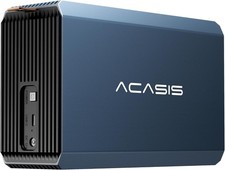
2-Bay RAID Enclosure for 2.5/3.5" SATA HDD/SSD External Hard Drive, USB 3
$59.99
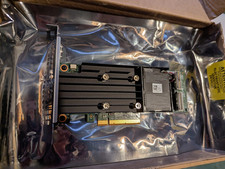
Dell PERC H755 8GB NV 12Gb/s Pci-e RAID controller card 29XMF Full Height
$899.00

OWC Mercury Elite Pro 2 Bay RAID Enclosure with USB 3.2 for Dual 3.5 inch HDDs
$87.99

LSI 9260-8i 512MB SAS SATA 8-port PCI-E 6Gb RAID Controller Card US
$29.88
LSI Oracle 9361-16i 16-Port 12Gb SAS PCIe RAID Controller 7332895
$77.97

CalDigit VR minin 2 Portable Raid Storage On The Go
$75.00
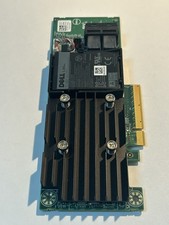
Dell 01M71J PERC H740P 12Gbps PCI-E SAS RAID Controller 1M71J
$70.00



 Reply With Quote