-
Senior Member
registered user
Re: Using knoppix to backup XP to USB HD
--Personally, I use ' mc ' for most all my copying needs. Insert-key to highlight files, Tab to move to the other window, cd to destination dir, Tab again to get back to the source window, and F5 to copy. Anything I have to delete, ' mc ' is a must. I've been Root for over 5 years now, and never trashed a filesystem due to a mistyped ' rm ' command.
--Warn: Tar, gzip, bzip2, bash, cat, etc. all suffer from a 2GB filesize limitation. I'll be writing a note to the Debian developers demanding to have this fixed before the next release. In this world of cheap 160GB drives, ancient 2GB filesize limits are completely out of the question!

Originally Posted by
aay
Personally, I have not yet used this utility but you may want to try the partimage tool found on knoppix. You can find info on this tool at
www.partimage.org. This should help if he needs to backup and restore the partition in a norton ghost like way.
If he's just trying to backup files then I suggest taring and zipping.
tar -czvf /mnt/windows_files /mnt/usb_drive
Just make sure the first partition is mounted and readable and the second is mounted and writeable.
Similar Threads
-
By kevstar31 in forum General Support
Replies: 10
Last Post: 11-13-2004, 02:30 AM
-
Replies: 0
Last Post: 11-07-2004, 06:32 PM
-
By helios17 in forum General Support
Replies: 12
Last Post: 10-28-2004, 12:47 PM
-
By Rggoalie3 in forum General Support
Replies: 4
Last Post: 12-30-2003, 10:55 PM
-
By mohater in forum General Support
Replies: 6
Last Post: 08-16-2003, 11:34 PM
 Posting Permissions
- You may not post new threads
- You may not post replies
- You may not post attachments
- You may not edit your posts
-
Forum Rules


Lenovo ThinkPad L13 Yoga Touch Laptop 13.3” Core i5 8GB RAM 256GB SSD Win 11 Pro
$239.99

Lenovo ThinkPad E14 Gen 2 Laptop 14” HD Ryzen 5 16GB RAM 512GB SSD Win 11 Pro
$319.99

Lenovo ThinkPad L15 Gen 3 15.6" 16GB, Thunder Black
$241.50

Lenovo ThinkPad L15 Gen 3 15.6" 16GB, Thunder Black
$241.50

Lenovo ThinkPad T14 Gen 1 14" AMD Ryzen 5 16GB 256GB SSD
$219.99

Lenovo ThinkPad E14 Gen 3 Laptop 14” FHD AMD Ryzen 5 16GB RAM 512GB SSD Win 11
$374.99

Lenovo Thinkpad T14 Gen 2i 14" 16GB 512GB, Black
$313.00
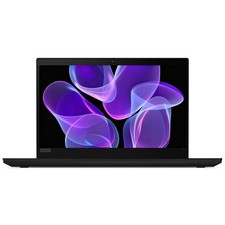
Lenovo Thinkpad T14 Gen 2 14" 16GB, Thunder Black
$387.46

Windows 11 PRO Laptop Notebook PC Computer, 8GB Ram, Webcam, Wifi, and HDMI
$144.00

Lenovo ThinkPad T14s Laptop 14” Laptop Core i5 8GB RAM 256GB SSD Windows 11 Pro
$249.99



 Reply With Quote