-
/usr/bin/ld: cannot find -lXinerama_pic
I use knoppix 3.3 and I have upgraded kde to 3.1.4
and now I can't compile kde programs !
The error is :
/usr/bin/ld: cannot find -lXinerama_pic
I did a lot of search...
I have executed the command :
perl -pi -e 's/-lXinerama_pic//g' `dpkg -L kdelibs4-dev | grep '\.la'`
And that have deleted the depend lXinerama_pic in /usr/lib/libDCOP.la, which is a file in the kdelibs4-dev package.
But this has not resolve the problem, I have always the error.
Any idea ?
Please answer me.

Similar Threads
-
By killem in forum Hardware & Booting
Replies: 1
Last Post: 06-14-2005, 10:37 AM
-
By Miksch in forum Hardware & Booting
Replies: 5
Last Post: 02-24-2005, 04:58 PM
-
By bela in forum General Support
Replies: 2
Last Post: 02-11-2005, 05:22 PM
-
By Rookie in forum General Support
Replies: 3
Last Post: 10-11-2003, 11:30 PM
-
By adamm in forum Tips and Tricks
Replies: 5
Last Post: 08-28-2003, 08:42 PM
 Posting Permissions
- You may not post new threads
- You may not post replies
- You may not post attachments
- You may not edit your posts
-
Forum Rules


Seagate Exos 7E8 4TB 3.5" SAS ST4000NM0025
$22.00

Seagate 14TB Exos X14 7200RPM SATA 6Gb/s 256MB 3.5" Enterprise HDD ST14000NM0408
$354.99

Western Digital HUS726T4TAL5204 4TB 7.2K SAS 12Gb/s 3.5" 512e HDD NetApp X375A
$69.00
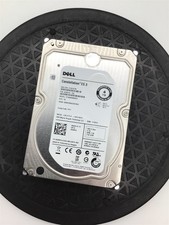
Dell Constellation ES.3 ST4000NM0023 4TB 7200 RPM 3.5" Enterprise Hard Drive
$39.99

Seagate ST6000NM0115 6TB 256MB 7200RPM 3.5" SATA 6.0Gb/s Enterprise Hard Drive
$159.99

HGST HUS724040ALA640 4TB 7200 RPM SATA 3.5" Internal Desktop Drive 100% Health
$78.00
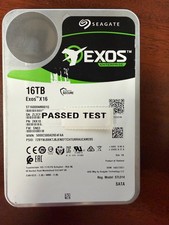
Seagate Exos X16 16TB ST16000NM001G 7200RPM Enterprise HDD*USED GREAT CONDITION*
$319.79

HITACHI ULTRASTAR 2TB 7.2K 6G 3.5INCH SATA HDD HUS724020ALA640 | TESTED WIPED
$34.95

HUS726060ALA640 HGST Ultrastar 6TB SATA 6Gbps 7.2K 3.5" Hard Drive OF21860
$129.99
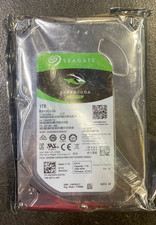
Seagate BarraCuda ST1000DM010 1TB 7200 RPM 64MB Cache SATA 6.0Gb/s Hard Drive
$63.99



 Reply With Quote