-
Readers, it's possible that the above diagram is incorrect. In terms of LILO, I experimented after I learnt that you can easily recover the old windows mbt settings using FDISK /MBR or FIXMBR. It's actually not such a big deal.
***End of topic***
-
Update
There is a surprising lack of information on the web concerning moving NTFS MFT and System files to the front of the drive. I had this same goal so that I could install a Yoper (linux distro) installation on my WinXP drive, but the Knoppix.net forums were the most helpful.
Sorry to resurrect a dead thread, but I hope that my experience will help those in the future:
Steps:
1) Booted from the "Ultimate Boot CD 4 Windows" (www.ubcd4win.com) and ran the following from the command prompt:
Code:
D:\programs\dirms\dirms.exe c move lcn
(where c is the drive letter of my NTFS WinXP drive) This is an excellent defragging utility and compresses everything to the front of the drive EXCEPT MFT files. This alone gained me 4.66Gb of my 120Gb drive in Qtparted.
2) Used VoptXP (trialware) in WinXP to view the status of the drive. It shows the last used block on the drive much more visibly than Diskeeper or WinXP's defragger.
3) Used professional version (trialware) of Executive Software Diskeeper to "Set a boot-time defragmentation" with the following settings ON:
Schedule time: On next manual reboot
Put all folders together on the volume
Run CHKDSK before defragmentation
Defragment the paging file
Defragment the Master File Table (MFT)
4) Rebooted, CHKDSK ran once, rebooted automatically, Diskeeper ran for about 10 minutes, booted into Windows.
5) Ran VoptXP to see the improvement ... WHOA! Instead of 4Gb, I now have 44Gb free at the tail end of the drive (and only 53Gb free, so that's very compacted!!!)
6) Booted into Knoppix 3.6 and used Qtparted to resize the partition as I pleased.
7) Booted into Windows, ran CHKDSK just in case.
 Voila! Two partitions!!!
Hope this helps someone!
-
Alternatively you could use Knoppix 3.7 or later. These releases include a much improved ntfsresize version (what qtparted, gparted, diskdrake, yast, evms and so on use to resize NTFS) that can move around anything without data loss. Actually it's pretty old, Knoppix has just forgotten to update it for over year: http://linux-ntfs.sourceforge.net/info/ntfsresize.html
Similar Threads
-
By AugustQ in forum Hdd Install / Debian / Apt
Replies: 7
Last Post: 06-03-2005, 08:19 PM
-
By smeadows in forum Hdd Install / Debian / Apt
Replies: 1
Last Post: 07-23-2004, 03:15 AM
-
By KChris in forum General Support
Replies: 1
Last Post: 10-11-2003, 01:47 PM
-
By grungy in forum General Support
Replies: 2
Last Post: 04-30-2003, 06:03 AM
-
By winowman in forum Hdd Install / Debian / Apt
Replies: 8
Last Post: 01-01-2003, 04:25 AM
 Posting Permissions
- You may not post new threads
- You may not post replies
- You may not post attachments
- You may not edit your posts
-
Forum Rules


16GB KIT (2x8GB) DDR3 Gamer Desktop RAM PC3 MIXED BRANDS VIPER VENGEANCE FURY
$10.00

Netac DDR4 32GB 16GB DDR4 3200MHz UDIMM C16 Desktop Internal Memory RAM Kit
$99.99

Crucial 32GB(4 x 8GB) CT8G4DFS824A.C8FDD1 DDR4-2400 UDIMM Desktop RAM - CR352A
$89.95

Micron 16GB (2x8GB) 2Rx8 DDR3 1600MHz PC3-12800U Desktop RAM
$19.99

Samsung 32GB DDR4-2666V-2Rx4-RB2-12 RAM M393A4K40CB2-CTD6Q
$169.00

A-Tech 8GB DDR3 1600 PC3-12800 Laptop SODIMM 204-Pin Memory RAM PC3L DDR3L 1x 8G
$21.68

Major Brand 16GB (2x8GB) PC3-12800U DDR3-1600MHz DDR3-12800 DESKTOP RAM NON-ECC
$29.99

DDR4 Laptop RAM 4GB 8GB 16GB 32GB 2400 2666 3200 Samsung Hynix
$66.00

Samsung 32GB DDR4-2666 PC4-21300 288-Pin DIMM RAM M393A4K40CB1CRC0Q
$185.00
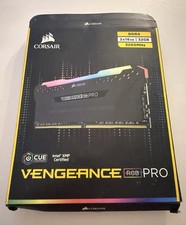
Corsair G.SKILL Trident Z Vengeance RGB Pro - DDR4 - 2x16 GB
$229.99



 Reply With Quote