

 Reply With Quote
Try it as root.
sudo passwd knoppix
Then enter the new password for the user knoppix twice.


I am really new here. I have a Windows install that has screwed up from a HD problem. I am booting the latest Knoppix release in hope of starting an FTP server to transfer a bunch files over the lan. I have followed the directions from other posts, as well as in the Docs, but I have a problem in the first step. It says to change the Knoppix password. I went to a shell and typed "passwd knoppix". It then gives a line that asks for "(current) Unix password:". What do I type there? Everything I have put in so far has resulted in "passwd: Authentication failure."
Thanks,
Collin
Happy Thanksgiving to those in celebration!
Try it as root.
sudo passwd knoppix
Then enter the new password for the user knoppix twice.
That did it. Thank you very much! I got everything transferred quite easily besides that little hiccup.
 Posting Permissions

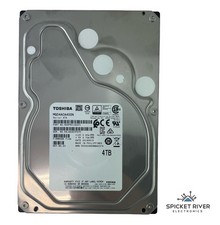
Toshiba MG04ACA400N 4TB SATA 6 Gb/s 7200 RPM 3.5" Enterprise Hard Drive HDD
$65.00
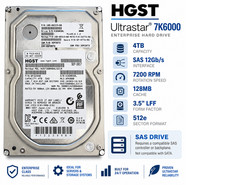
HGST Ultrastar 4TB SAS 12Gb/s 7200RPM 3.5" HDD HUS726040AL5214 4Kn
$56.00

Seagate BarraCuda ST5000LM000 5TB 5400RPM SATA III 6Gb/s 2.5" Internal Hard
$169.99

Western Digital HUS726T4TAL5204 4TB 7.2K SAS 12Gb/s 3.5" 512e HDD NetApp X375A
$84.00

Seagate ST6000NM0115 6TB 256MB 7200RPM 3.5" SATA 6.0Gb/s Enterprise Hard Drive
$159.99
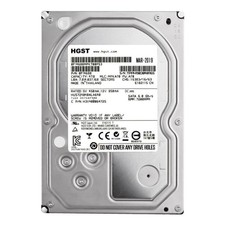
**77%-89% HEALTH**HGST Ultrastar 7K4000 HUS724040ALA640 4TB 7200 RPM 64MB Cache
$69.99

Hitachi / HGST Travelstar HTS541010B7E610 1TB 2.5" SATA III HDD
$29.99

HGST HUS724040ALA640 4TB 7200 RPM SATA 3.5" Internal Desktop Drive 100% Health
$78.00

Seagate 14TB Exos X14 7200RPM SATA 6Gb/s 256MB 3.5" Enterprise HDD ST14000NM0408
$354.99

New Western Digital WD40EFPX 68C6CN0 4TB 3.5" SATA III Internal NAS Red Plus HDD
$137.59