

 Reply With Quote
Try it as root.
sudo passwd knoppix
Then enter the new password for the user knoppix twice.


I am really new here. I have a Windows install that has screwed up from a HD problem. I am booting the latest Knoppix release in hope of starting an FTP server to transfer a bunch files over the lan. I have followed the directions from other posts, as well as in the Docs, but I have a problem in the first step. It says to change the Knoppix password. I went to a shell and typed "passwd knoppix". It then gives a line that asks for "(current) Unix password:". What do I type there? Everything I have put in so far has resulted in "passwd: Authentication failure."
Thanks,
Collin
Happy Thanksgiving to those in celebration!
Try it as root.
sudo passwd knoppix
Then enter the new password for the user knoppix twice.
That did it. Thank you very much! I got everything transferred quite easily besides that little hiccup.
 Posting Permissions


DELL POWEREDGE R340 Server | Xeon E-2126G 64GB RAM PERC H330 (Onboard)
$399.95
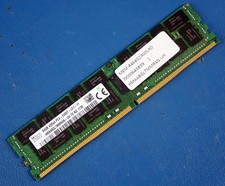
SK HYNIX HMAA8GL7MMR4N-UH 64GB PC4-2400T RDIMM Server RAM
$289.95

VMware vCenter Server 8 STANDARD Perpetual License Key VC-STD-C (Legacy Pack)
$1599.95

Dell EMC PowerEdge R440 Xeon silver 4215 2.5GHz 16 GB ram 2x 550W PSU No HDD
$275.00

Dell EMC PowerEdge R740 8 Bay Server w/ 32GB RAM 2x GOLD 6132 2x 1600W PSU H730p
$499.88

Dell PowerEdge C4130 1U AI GPU Server | 2x E5-2680 v3 | 32gb Ram | 2x 1600W
$409.99

Dell Poweredge R730xd 12LFF 2*2660v4 4*1Gbe h730 2x 750W Server CTO
$308.00
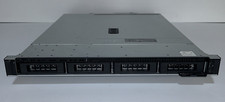
Dell PowerEdge R240 Intel Xeon E-2144G 3.6GHz 16GB DDR4 ECC NO HDD 250W
$149.00
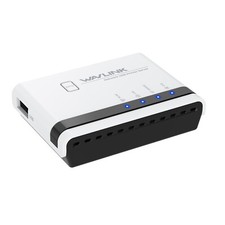
USB 2.0 Network Print Server LAN Print Share Server USB Wireless Print Server
$25.19

Dell Intel X710-DA2 5N7Y5 Dual-Port 10GbE SFP+ PCIe 3.0 x8 Network Adapter
$27.50