

 Reply With Quote
Try XMMS and in the Play Location use /dev/cdrom.Originally Posted by JockVSJock


As root I can play audio cd, with xmms or kscd, as root.
Cannot do this as my regular user.
I've checked permissions, and changed owner of kscd to a user, but this still did not work.
Any ideas?
thanks
Try XMMS and in the Play Location use /dev/cdrom.
I've tried /dev/cdaudio and /dev/cdrom and neither work with XMMS and KsCD.
I think it is a permission issue.
That's weird what do the links look like here's what it looks like on mine.
Just to ask the totally obvious you are a member of both the audio and cdrom groups for the user you are trying to play the CD with? Can you get access if you put a data CD in the drive and either click on the shortcut on the desktop or mount from the command line? And what is the exact error it gives you when you try to play in either program.Code:[09:54 PM Thu Nov 27: stephen @ ~] >$ ll /dev/cdrom lrwxrwxrwx 1 root root 11 2003-11-27 15:16 /dev/cdrom -> /dev/cdrom0 [09:54 PM Thu Nov 27: stephen @ ~] >$ ll /dev/cdrom0 lrwxrwxrwx 1 root root 9 2003-11-27 15:16 /dev/cdrom0 -> /dev/scd0 [09:54 PM Thu Nov 27: stephen @ ~] >$ ll /dev/scd0 brwxrwxrwx 1 root root 11, 0 2002-03-14 17:54 /dev/scd0 [09:54 PM Thu Nov 27: stephen @ ~]
[edit]
You can check the group membership by using groupsor id in a console window. If you are not a member of either then adduser user_name audio or cdrom as root then logout and back in for the changes to take effect.
[/edit]
I've added my user, adduser user cdrom, and that didn't work.
My output looks like this:
When I run kscd, this is the error message that I get...Code:lrwxrwxrwx 1 root root 9 Nov 8 18:59 /dev/cdrom -> /dev/scd0 No output for /dev/cdrom0 brw-rw---- 1 root cdrom 11, 0 May 31 2001 /dev/scd0
CD-ROM read or access error ( or no audio disc in drive )
Please make sure you have access premissions to /dev/cdrom
I would say use chmod 777 /dev/scd0 as root to give it the same permissions as mine and anybody should be able to access the device.
Got it.
I had to chmod ugo+x on scdo0 and cdrom and it works.
thanks
 Posting Permissions


Gigabyte 4U AI Server 10x Nvidia GPU 2x Xeon Gold 6150 36 Core 2.7GHz DDR4 RAM
$1625.00

Dell EMC PowerEdge R440 Xeon silver 4215 2.5GHz 16 GB ram 2x 550W PSU No HDD
$275.00

867959-B21 HPE ProLiant DL360 G10 CTO Server W/ 2x 865414-B21 1x 840140-001
$245.00
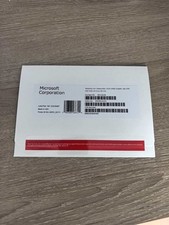
Windows Server 2025 datacenter 64bit 24 Core 50 cal DVD + PRODUCT LICENSE KEY.
$49.99

Dell PowerEdge C4130 1U AI GPU Server | 2x E5-2680 v3 | 32gb Ram | 2x 1600W
$409.99

Dell PowerEdge R730XD 28 Core Server 2X Xeon E5-2680 V4 H730 32GB RAM No HDD
$378.93

Dell Poweredge R730xd 12LFF 2*2660v4 4*1Gbe h730 2x 750W Server CTO
$308.00
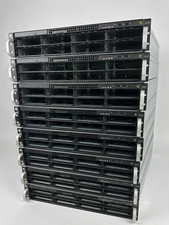
2U AI MINING SERVER 2x Xeon 36 cores 2.3Ghz DDR4 2x NVIDIA V100 GPU PCIe 2PS USA
$799.00

Dell Poweredge R630 2x Xeon E5-2680 v3 2.5ghz 24-Core | HBA330 | No RAM or HDD
$149.99

Dell Poweredge R620 10x 2.5" bay with 256GB (16x16gb) DDR3, 2x E5-2690v2, H710
$349.99