

 Reply With Quote
Does it actually work in redhat?
If it's a winmodem, start at: linmodems.org
If it's a hardware modem, disable any onboard serial ports you're not using in the bios, so the modem will install on com 1 or 2.


New to linux my modem is a 3Com 56k Robotics PCI Modem that win 98 detects as installed on Com5.Its not detected by Knoppix I've tried three flavors of linux Mandrake 8.2.Redhat 7.3.Knoppix. Redhat correctly detects the modem how can I solve this problem.
Does it actually work in redhat?
If it's a winmodem, start at: linmodems.org
If it's a hardware modem, disable any onboard serial ports you're not using in the bios, so the modem will install on com 1 or 2.
It actually works under RedHat is there maybe a config file I can check for settings under.It didn't work under Mandrake.
The Modem is 3 COM V90 56k Internal/Voice Fax Modem Model 0727
Chipset 3CP3298-DEL
FCC ID 4X2USA-32034-M5-E
The database for PCI Modems that linmodems.org refers to says this modem is OK How do I proceed?
According to that database, it's a hardware modem. So, it should install as a serial (com) port. You should be able to set up a connection with kppp or wvdial.
Ok I understand that how do i go about getting knoppix to detect it. Is there a config file under RedHat I could look at.
In kde control center, you could look under information.
Knoppix should detect a hardware modem.
If it installs on com 5 (ttyS4), you may have to create it, since linux usually just goes up to com 4 (ttyS3).
From the web:
To create ttyS4 is easy, all you have to do is:
cd /dev
mknod ttyS4 c 4 68
mknod creates special files
ttyS4 is the name you want
c means it's a character device
4 is the Major number
and 68 is the Minor number
You can find the device numbers in
the Documentation folder of the
kernel source in the file devices.txt
And for kppp I'd link ttyS4 to /dev/modem
while still in /dev
ln -s ttyS4 modem
Thank you it worked!!!
If I could ask one more question running Knoppix from CD obviously when I reboot settings will be lost is there any way to create a sort of script to run these
cmds.If you can direct me to resources in this regard I would appreciate it.
I have the same problem with USR5610B modem. I thought I read that /dev/ttyS4 had been added to knoppix 3.2. I downloaded 3.3 and /dev/ttyS4 in not present.
I'm not quite sure about your information below like "From the web"
What progam do you use to enter this information.
I'm fairly new to linux. Tried mandrake about 2 years ago. Didn't have a good time. I've been DOS/Windows fan since 1987. It's time for a change.
JimKes
Originally Posted by L2Cache
If you go to kmenu, knoppix, configure, save the configuration, and make a persistent home, the changes may stick.
Otherwise, in addition, you might write a script, put a shortcut to it in the kde startup folder, and it will run on startup.
Commands like those in the "from the web" info are entered in a terminal. You may need to type su to become the root user.
 Posting Permissions


MegaRAID 9580-8i8e 16-port 12G SAS/SATA/NVMe 8GB PCIe RAID - 05-50076-00
$1619.30

Broadcom 9600-24i Tri-Mode RAID Controller 4.0 NVMe SAS SATA NEW 05-50111-01003
$639.69

HP controller P3410-69003 NetRAID-1M SCSI 64-bit U160 32MB Cache (PCI)
$359.00
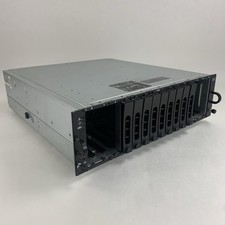
Dell PowerVault MD3000i AMP01 Storage Array 2x PSUs No HDDs/Controllers/Caddies
$144.95

Broadcom LSI 9305-16i 12Gbps SAS-3 PCIe x8 HBA 16-Ports Raid Controller
$64.99

Inspur LSI YZCA-00424-101 12Gbps SAS 3.0 RAID Controller CARD HBA HDD
$14.99

Dell PERC H740p Mini Mono RAID Controller 8GB 0878M 5FMY4 GP6RN
$55.00

LSI 9305-16i SATA SAS 12Gbs Controller card PCIe 3.0 IT-Mode w/SAS SATA cable US
$119.98

Broadcom LSI Avago RAID card MegaRAID SAS 9480-8i8e 05-50031-00
$400.00

BROADCOM 05-50077-01 PCI-E 4.0 x8 PCI-Express MegaRAID 9560-8i RAID Controller
$714.99