

 Reply With Quote
See if mkbootdisk is installed. That's what redhat uses.
For info try: man mkbootdisk


I have installed Knoppix on a HD with David McNab's excellent Installation procedure, and it all works very well indeed.
However while I was doing this the boof floppy procedure failed (perhaps the floppy was faulty - though it formatted OK with no faults later).
I can find no item in the menus of either the Knoppix or the Debian screens for creating a boot floppy from within the installation.
Can someone point me the way. I am probably blind.
John
See if mkbootdisk is installed. That's what redhat uses.
For info try: man mkbootdisk
You might try using another floppy. They often go bad. A simple way to make a boot floppy while booted from Knoppix is simply to copy and past the following command into a Konsole shell:
Code:dd if=/cdrom/KNOPPIX/boot.img of=/dev/fd0 bs=1440k
 Posting Permissions

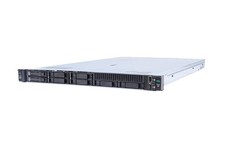
HP ProLiant DL360 Gen 11 - Xeon Gold 5th Gen - 192 GB DDR5 ECC - 2x 240 GB SSD
$17000.00

Dell EMC PowerEdge R440 Xeon silver 4215 2.5GHz 16 GB ram 2x 550W PSU No HDD
$275.00

Dell EMC VxRail E560F 10-SFF 2*Gold 6230R 2.1GHz No RAM HBA330 iDrac Ent Server
$349.99
Windows Server 2025 Standard✔ 24-CORE✔ 10 CALs✔ 50 RDS✔ Remote Desktop EP2-25205
$317.56

Dell Poweredge R730xd 12LFF 2*2660v4 4*1Gbe h730 2x 750W Server CTO
$308.00

Dell PowerEdge C4130 1U AI GPU Server | 2x E5-2680 v3 | 32gb Ram | 2x 1600W
$409.99

Dell EMC PowerEdge R740 8 Bay Server w/ 32GB RAM 2x GOLD 6132 2x 1600W PSU H730p
$499.88

Dell Poweredge R630 2x Xeon E5-2680 v3 2.5ghz 24-Cores / 64gb / Raid / 2x 1Tb
$374.99

RDS CAL - Remote Desktop Services Windows Server 2022 50 User/Device Connections
$68.00

Microsoft Windows Server 2025 Standard 64Bit 16 Core-50 CALs DVD With Key Sealed
$41.19