

 Reply With Quote
See if mkbootdisk is installed. That's what redhat uses.
For info try: man mkbootdisk


I have installed Knoppix on a HD with David McNab's excellent Installation procedure, and it all works very well indeed.
However while I was doing this the boof floppy procedure failed (perhaps the floppy was faulty - though it formatted OK with no faults later).
I can find no item in the menus of either the Knoppix or the Debian screens for creating a boot floppy from within the installation.
Can someone point me the way. I am probably blind.
John
See if mkbootdisk is installed. That's what redhat uses.
For info try: man mkbootdisk
You might try using another floppy. They often go bad. A simple way to make a boot floppy while booted from Knoppix is simply to copy and past the following command into a Konsole shell:
Code:dd if=/cdrom/KNOPPIX/boot.img of=/dev/fd0 bs=1440k
 Posting Permissions


Seagate ST6000NM0115 6TB 256MB 7200RPM 3.5" SATA 6.0Gb/s Enterprise Hard Drive
$159.99

Seagate Exos X14 10TB 7200RPM 3.5" SAS 12Gb/s Hard Drive HDD ST10000NM0528
$165.00

Seagate 14TB Exos X14 7200RPM SATA 6Gb/s 256MB 3.5" Enterprise HDD ST14000NM0408
$354.99
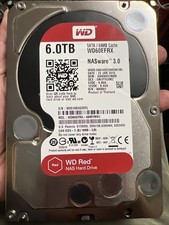
Western Digital WD 3.5" Red NAS 6TB SATA III 6Gbps HDD WD60EFRX
$159.90
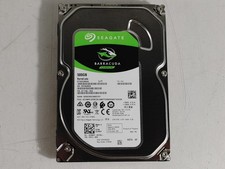
Seagate ST500DM009 BarraCuda 500 GB 3.5" SATA III Desktop Hard Drive
$14.99

HGST HUS724040ALA640 4TB 7200 RPM SATA 3.5" Internal Desktop Drive 100% Health
$78.00
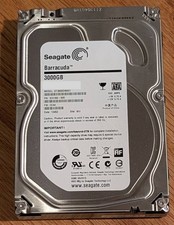
Seagate Barracuda 3TB 3.5" HDD 7200RPM 64MB SATA 6Gb/s ST3000DM001 Tested
$49.99
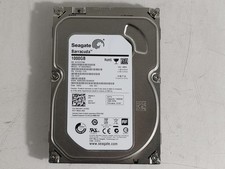
Seagate Barracuda ST1000DM003 1 TB SATA III 3.5 in Desktop Hard Drive
$23.99

Seagate Exos X16 ST10000NM010G 10TB 7200RPM SAS 12Gb/s 3.5" 512e/4Kn HDD
$199.00

MG08SCA16TE Toshiba 16TB 7.2K SAS 12gb/s 512e 3.5inch HDD HDEPN10GEA51 NEW
$454.44