

 Reply With Quote
Is this a stupid question or what? Please educate me if I'm totally wrong.


How do I configure a remote desktop session without having to walk back and forth the client and server to verify what the server will allow? To boil it down - I'd like it to be like Microsoft Windows Remote Desktop.
Is this a stupid question or what? Please educate me if I'm totally wrong.
You can set your remote desktop to accept any incoming connection to avoid having to walk over to the workstation and hit "Accept" on the connection.
Go to the Control Center on the machine you want to connect to (vnc server), under Internet and Network. In the Desktop Sharing section put a check mark in the boxes for "Allow Uninvited Connection" and "Allow uninvited connections to control the desktop" and uncheck "Confirm uninvited connections before accepting". Don't forget to put a password in there to authorize connections.
Good luck.
I found the options. Thank you very much
 Posting Permissions


HP PROLIANT TPS-W003 MICRO- SERVER TOWER Gen 8, 16G RAM
$195.00

Supermicro CSE-937 3U Storage Chassis No CPU No HDD No Ram Tested & Reset
$129.99

$280.00

Supermicro CSE-216 No CPU No Ram No HDD Tested & Reset
$149.99

HP ProLiant MicroServer Gen8 G1610T @2.3 GHz, 16GB, 712317-001 NO HDD/OS
$199.00
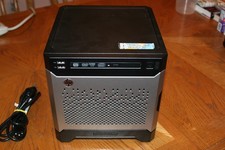
HP Proliant MicroServer Gen8, 4.5TB, (4) HDD, EXCELLENT COND.
$625.00

Supermicro 1027GR-TSF 1U Rackmount Server 2x Xeon 2.3GHz 128GB DDR3
$219.99

Supermicro 2U X10DRU-i 2x E5-2680 v3 2.5ghz 32gb Ram 240gb SSD 2x GPU *READ*
$369.99

Nasuni NF-50 Supermicro Server, Atom CPU C2558, @ 2.40GHz, 8GB RAM-No HDD/OS/AC
$187.50

Supermicro CSE-937 3U Storage Chassis No CPU No HDD No Ram Tested & Reset
$129.99