
Screenshots = fun to look at
My current desktop at work with Knoppix:
http://eric.halo43.com/images/screen...4-knoppix1.png
http://eric.halo43.com/images/screen...4-knoppix2.png


Screenshots = fun to look at
My current desktop at work with Knoppix:
http://eric.halo43.com/images/screen...4-knoppix1.png
http://eric.halo43.com/images/screen...4-knoppix2.png
To get the ball rolling some more, here's some of my previous Knoppix setups (more like Windows)
http://eric.halo43.com/images/screen...17-knoppix.png
http://eric.halo43.com/images/screen...cknoppix01.png
http://eric.halo43.com/images/screen...cknoppix02.png
http://eric.halo43.com/images/screen...cknoppix03.png
http://eric.halo43.com/images/screen...cknoppix04.png
http://eric.halo43.com/images/screen...cknoppix05.png
Just for kicks, a screenshot of my Gentoo system at home when I first started playing with Gnome:
http://eric.halo43.com/images/screenshots/gnome01.png
http://overclockix.octeams.com/snapshot1.jpg
http://overclockix.octeams.com/snapshot2.jpg
http://overclockix.octeams.com/snapshot3.jpg
http://overclockix.octeams.com/snapshot4.jpg
http://overclockix.octeams.com/snapshot5.jpg
http://overclockix.octeams.com/snapshot7.jpg
http://overclockix.octeams.com/snapshot8.jpg
This is a remastered Knoppix CD, not a HDD-install.
very clasic debian+wm
http://www.batadoo.com/knoppix/desk.png
Good stuff, most looks like hard drive installations, unless you have a big usb memory stick
I'm CD bound at work. Can't do a HDD install there, but I can run the CD. So I use the CD and floppyconf.
I'd do a hd install at work but I cant seem to partition the drive, keeps on telling me that the drive is fragmented. I used the windows defrag. but same problem. I'll try a 3rd party tool and see if that works.
Cd knoppix is slow on some computers. need lots of ram and proces. power
Hi Kethinov and all,
I have a project called burn_home which allows you
to boot from a floppy, run the KNOPPIX CD, and then
automatically read in you presistent home from
a second CDRW, mine is on USB cdrom1. After each
session you must burn a CDRW to save your changes
if any were made.
With extra work you can even add programs to
be loaded from the second CDRW. None of this
needs a hard drive or changes the hard drive.
http://www.knoppix.net/docs/index.php/BurnHome
I now have installed gmplayer which will play
DVD movies. Sorry I am too lazy to make a
cool screen shot
I may soon add a feature to get files automatically
at boot up from the internet with wget.
This is not fast or high powered but it can be useful
for special situations.
Let me know if it can work for you.
Best Wishes
paradocs
 Posting Permissions

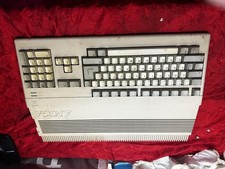
Amiga Commodore A500 - Untested-For Parts or Repair - Vintage
$200.00

RGB2HDMI Amiga 500 UltraLong (Accelerator Friendly) HDMI Games, non-RTG A500
$50.00

Microbotics Starboard 2MB + SCSI Sidecar for Amiga 1000 Vintage Computer READ
$329.00
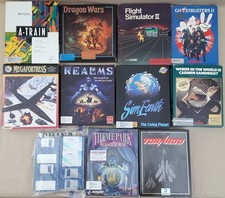
(10) BOXED Games for Commodore Amiga 500 600 1000 1200 2000 3000(T) 4000(T)
$329.98

Amiga Model 1080 RGB color CRT monitor - Parts Or Repair - Doesn’t Power On
$100.00
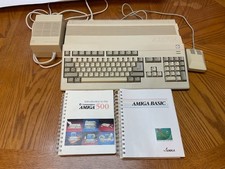
Commodore Amiga 500 w/ 512K comes with manuals, turns on and boots from floppy
$499.99

Amiga Emplant Emulator Card For Commodore Amiga 2000 4000 3000
$249.00
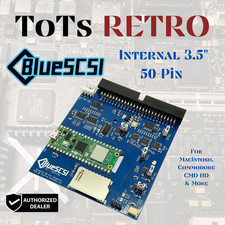
BlueSCSI v2 Internal 50-pin 3.5" SCSI Drive ,Wi-Fi,For Macintosh, Amiga, PC
$52.99

Best FlickerFixer RGB2HDMI Amiga HDMI Games, non-RTG A2000CPLDSlot v2.2
$75.00

Commodore VIC-20 Diagnostic Cartridge & Test Harness Set - USA seller
$39.99


 Reply With Quote