-
Old Dell laptop + replicator ethernet problems
Does anyone have any experience getting the network running through a Dell replicator (docking station).
It's an old Latitude XPi CD laptop (pent166 6xCD etc).
I can find, configure and ping the network card (3c509) but no luck pinging the gateway!!??
regards
rob
-
If you can configure it, your Linux configuration is OK.
The problem could be the cable or a bad NIC.
What kind of cable are you using? Straight or cross?
Do you connect to a PC directly or are you connected to a hub or switch?
Does the connection work in Windows or what-ever your other operating system may be?
Can you give some information on your TCP/IP settings?
-
Cable and hub are OK. We are able to connect other PCs & Laptops without problems.
I've just found Donald Becker's 3c509 page http://www.scyld.com/network/3c509.html
and tracked down the dos cfg utility too.
The card is a 16-bit 3C509B-TP and had Pn enabled - I've disabled Pnp and will look into the setting up of an ISA card. (I've only used PCI so far)
Thanks for your input will let you know what happens.
Cheers
rob
-
You will need to use the command to see the card.
I have 3 of them in my knoppix-box. All work fine for me.
-
Senior Member
registered user
I was unable to get knoppix working with the 3c509 card on my XPi as well. I kept getting the error "setting rx mode....." over and over. Even after forcing the irq and memory address that it detected in windows.
-
You need to disable PlugNPlay with the second driver disk in DOS. To do that you can use a Windows 98 diskette to start the machine without CD-support. Then put the second driver disk in the machine and run install. After confirming the license agreement you can choose configuration. Do not choose auto install or auto configuration. That will set your NIC PNP.
The second driverdisk you can download from www.3com.com.
It's an packed .EXE you have to unpack to diskette.
Goodluck.
-
Try the 3c59x module. While it's not the right module for the chipset in your dock, it might work. It does in the Dell C/Port replicators.
As a side note, the dell replicators are quite possibly the flakiest pieces of hardware ever created.
-
Senior Member
registered user
I got mine working by using the 3Com utilities disk from the 3Com site and did the PnP trick mentioned above.
Similar Threads
-
By neilhwatson in forum Laptops
Replies: 0
Last Post: 04-20-2004, 08:15 PM
-
By embsupafly in forum General Support
Replies: 2
Last Post: 11-24-2003, 12:21 AM
-
By mubz in forum General Support
Replies: 0
Last Post: 11-23-2003, 02:33 AM
-
By robmc5 in forum General Support
Replies: 0
Last Post: 10-23-2003, 06:06 PM
-
Replies: 1
Last Post: 09-30-2003, 12:59 PM
 Posting Permissions
- You may not post new threads
- You may not post replies
- You may not post attachments
- You may not edit your posts
-
Forum Rules


Dell Precision T5820 Workstation 3.70GHz W-2135 No RAM/ GPU/ HDD/ OS
$179.98

Dell Precision Tower 7810 Xeon E5-2630 v3 @ 2.40GHz , 32GB Ram, NO HDD, NO OS
$239.99

Dell EMC PowerEdge R440 Xeon silver 4215 2.5GHz 16 GB ram 2x 550W PSU No HDD
$275.00

Intel Xeon Phi 5110P 60-Core 1.053GHz Coprocessor
$50.00

Intel Xeon E5-2699 V4 2.20GHz 55M 22-CORES LGA2011-3 Server Processor 145W SR2JS
$84.49
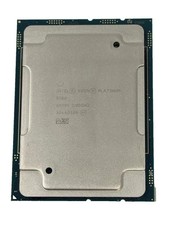
Intel Xeon Platinum 8268 2.9GHz 24-Core FCLGA3647 Processor | SRF95
$119.99

Dell Precision T7820 2x Xeon Silver 4114 2.20GHz 950W No RAM GPU HDD 4x SATA
$354.48

Intel Xeon E5-2690 v4 SR2N2 14 Core 2.6GHz 35MB LGA2011-3 CPU *km
$15.99

Lenovo ThinkStation P520c Intel Xeon W-2133 6-Core 3.60GHz -NO RAM/ HDD/ GPU/ OS
$127.54

HP Z440 Workstation TWR Xeon E5-1603 v3, 8GB RAM, NVS310, SB1570, NO SSD/OS #95
$89.99



 Reply With Quote