-
Soundblaster Audigy with CD booted Knoppix
warning -> linux n00b
I'm having real trouble trying to get sound to work on knoppix. unfortunatly i dont have space or time to install it as a full os. I have a Soundblaster Audigy (as the title says), and whatever i have tried doesnt work. the closest i have come was using modconf and went to kernel/drivers/sound/emu10k1
i tried it without parameters, but it has trouble. it gives me the error:
Installation Failed.
depmod: Can't open /lib/modules/2.4.22-xfs/modules.dep for writing
cp: cannot remove '/lib/modules/modprobe.conf.old': Read-only file system
i think this is because it is booting off the cd. is there any way to fix this? is there a chance i could do it without reburning the cd, or would that be a better option?
thanks
OmegaOne
-
I discovered something with knoppix cd's notably ones you burn yourself after downloading an ISO......
you can burn a CD that has errors that will NOT become apparent until you try to do the knx-hdinstall.....
top tips......
1/ download ISO from ONE source only, do NOT use progs like getright
2/ download the md5 checksum and check the ISO after downloading, there's lots available, if you use windows a decent one is here at http://www.brandonstaggs.com/filecheckmd5.html
3/ when burning the ISO to CD use DISK AT ONCE and FINALISE
there are a few tips on this on various linux forums....
the RH disks come with a built in file integrity checker to test themselves, dunno if there is anything similar for knoppix, if not it would be a cool / useful addition.
I'd suggest that until / unless you can exclude a (slightly) corrupted knoppix CD you won't get much further.
HTH
cheers
-

Originally Posted by
GuyFawkes
1/ download ISO from ONE source only, do NOT use progs like getright
2/ download the md5 checksum and check the ISO after downloading, there's lots available, if you use windows a decent one is here at
http://www.brandonstaggs.com/filecheckmd5.html
3/ when burning the ISO to CD use DISK AT ONCE and FINALISE
I'd suggest that until / unless you can exclude a (slightly) corrupted knoppix CD you won't get much further.
Ok, i just re-downloaded and burned the iso. (i dont have the first iso i used).
1/ i didnt use getright, and i downloaded it from one single source.
2/ i used a checksum checker, and the checksum came up fine.
3/ i didnt need to use either of those, as i just opened the iso in Nero this time (i hate Easy CD, but the Uni labs didnt have Nero or CloneCD) and burned like that.
nero seemed to think it burned perfectly so i am 99.5% sure it it the contence of the disks fault. especially as the new disk is exacly like the old.
what i dont understand, is why i cant modconf to install the correct sound module  . i think it is because most of the OS is currently stored on a CD'r, and cannot be modified. what would i have to do to modify the iso, so that the emu10k1 is already installed when i boot the cd? or should it already be for me?
thanks for the help
edit:
Ive just noticed a problem at boot. when its loading sound it gives the errors:
modprobe: modprobe: Can't locate module sound-slot-0
modprobe: modprobe: Can't locate module sound-servace-0-0
i checked the md5 of the burned CD, and its fine. i dont know what to think, other than the image is damaged maybe? but the md5 is ok? is the image wrong then?
thanks
-
Senior Member
registered user
You might try the cheat code: knoppix alsa
at the boot prompt.
-
Originally Posted by
L2Cache
You might try the cheat code: knoppix alsa
at the boot prompt.
ok ive just tried it, and no luck
i can only think that maybe some modules are missing from my cd? is there any way to install the module that doesnt intall on boot?
 i have a project i need to finish on a linux os, but i cant put any music on.
thanks for the help
-
I know this is a double post, but its a new idea...
could i use the modules disk idea to load the sound modules? the cheat codes says:
modules-disk
This cheatcode allows you to insert a floppy disk with additional modules (snip)
would that work? if so, where can i find the needed modules, and is there any special way i need to put them on the floppy?
thanks
-
Check from when is your iso. As I heard or read somwhere, there was one iso from which alsa wouldnt work. I dont remember exactly if it was the version from 14.11. or that before.
I can tell you sure, that i can start my knoppix version 3.3 from 19.11. using the cheatcode knoppix alsa and sound would work.
I have soundblaster audigy.
Similar Threads
-
By Mastacheata in forum Hardware & Booting
Replies: 1
Last Post: 01-25-2005, 01:11 PM
-
By Dark-Prophecy in forum Hardware & Booting
Replies: 14
Last Post: 12-24-2003, 03:21 PM
-
By flailer in forum Hardware & Booting
Replies: 1
Last Post: 09-10-2003, 01:57 AM
-
By JohnElmore in forum Hardware & Booting
Replies: 1
Last Post: 08-23-2003, 06:13 AM
-
By Playloud in forum General Support
Replies: 1
Last Post: 12-25-2002, 12:04 AM
 Posting Permissions
- You may not post new threads
- You may not post replies
- You may not post attachments
- You may not edit your posts
-
Forum Rules


SK Hynix Server Memory 32GB (1x32GB) RAM DDR4 2400MHz HMA84GR7MFR4N Lot of 12
$1599.99
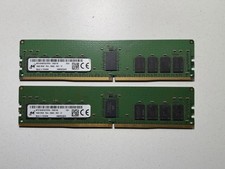
x2 Micron 16GB 2Rx8 PC4-2666V ECC REG Server Memory - MTA18ASF2G72PDZ-2G6E1
$179.00

2 in 1 USB 3.0 Card Reader Micro TF card Reader usb adapter High Speed Cardreder
$3.99
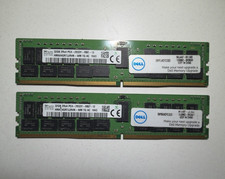
x2 SK Hynix 32GB 2933Y DDR4 (PC4-23400) RDIMM ECC RAM Memory | HMA84GR7JJR4N WM
$389.00

USB 3.0 Flash Drive 32GB 64GB 128GB Memory Stick Thumb Stick Lot Pack
$826.09

Kingston 32GB 64GB 128GB 256GB USB 3.0 Flash Drive Thumb Memory Stick Pen lot
$285.90

SK Hynix 64B PC4-2933Y Server Memory DDR4 RAM HMAA8GR7MJR4N-WM
$499.99
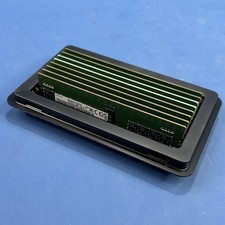
Samsung (8X16GB) 128GB 2Rx8 PC4-3200AA-RE2-12 Registered ECC Memory DDR4
$849.99
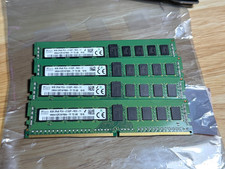
SK Hynix 32GB (4 x 8GB) DIMM DDR4 2133 2Rx8 ECC Memory RAM HMA41GR7AFR8N
$109.99
SK HYNIX HMAA8GL7MMR4N-UH 64GB PC4-2400T RDIMM Server RAM
$289.95



 Reply With Quote