

 Reply With Quote
chmod +x scriptname
./scriptname


hi all
if i want a particular script to be started at the boot time , what i should do , where to copy that script, and what are the procedures.
Actually, on knoppix page it is given that copy that script to /etc/rc5.d/ .
i had done that , but its not working, is there any other way to do that
plz tellme
thanks
chmod +x scriptname
./scriptname
If you put the script in /etc/rc5.d, you need to follow the rc naming scheme. So it should be named-
S##scriptname
S tells rc that the script should be started, the ## will tell it when (relative to other services) to run the script. 99 would be the last thing to run, 01 would be the first. You probably want it after 70 if it requires other networking services to already be running. Sticking it as last or nearly last is usually safest.
 Posting Permissions


Dell 6P85J 4TB ST4000NM0063 7.2k 6Gb/s 3.5” SAS SED Hard Drive with Tray
$39.99

Western Digital HUS726T4TAL5204 4TB 7.2K SAS 12Gb/s 3.5" 512e HDD NetApp X375A
$64.00

Seagate Barracuda ST1000DM003 1 TB SATA III 3.5 in Desktop Hard Drive
$23.99

Seagate ST8000NM0075 Enterprise Capacity 3.5 HDD 8TB SAS Hard Drive 8TB EXOS
$184.99

Dell ST6000NM0034 1HT27Z-150 NWCCG 6TB SAS 3.5 7.2K ENTERPRISE SERVER DRIVE
$68.99
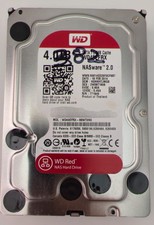
Western Digital WD Red 4TB NAS Hard Drive WD40EFRX SATA 64MB 3.5" HDD
$95.00

Seagate ST3000NM0005 HDD 3TB SATA 6Gb/s 7.2K 3.5" 512 b/s
$59.00

Toshiba 14TB MG07 MG07ACA14TEY 7.2K RPM SATA 6Gb/s 512e 3.5" Enterprise HDD
$339.00

HGST Ultrastar HUS726040AL5210 4TB 7200RPM SAS 12Gb/s Enterprise HDD
$41.00

Tested WD Ultrastar DC HC520 12TB 7.2K RPM SATA 6Gb/s 3.5" HDD HUH721212ALN600
$239.99