

 Reply With Quote
If you go to kmenu, knoppix, configure, save the configuration, and make a persistent home, you can save settings and files.
You can also access windows partitions.


i wanna run a live cd of knoppix but i wanna be able to save my desktop settings and a few mp3s or sumfin.. if i can connect over to the windows directory to dl to thatd be even better truthfully my primary goal is to have linux running to connect to my xbox linux (soon)... im just tryin to get started.. im supernuB comin to linux.. is what im thinkin possible.. i have mandrake installed but i dont like givin up so much of the Hd to an experiment..
If you go to kmenu, knoppix, configure, save the configuration, and make a persistent home, you can save settings and files.
You can also access windows partitions.
l2cache.. you rule.. workin on gettin the version on knopp i want then gonna get rid of mandrake.. gotta figure out how to boot xp from a cd.. ive tried with 3 diff dls of knopp and im startin to think maybe f10/f8 (cant remember whic hright now) isnt the solution.. hollaback
how do i create a home directory on the hard drive.. it keeps tryin to do it to a floppy or removeable media..
In knoppix 3.2, if you go to kmenu, knoppix, configure, create a persistent home, it should allow you to make a persistent home on a hard drive if there is a hard drive partition that knoppix can write to.
cool.. how big should the partition be.. i just wanna be able to save things like karamba and other stuff to make the desktop look good.. or should i go with a full install... i want it to run fast so learning it wont be a matter of dealin with latency and slowdown.. thanks l2.. (do you know how to get rid of lilo..i cant get my xp to boot to dos and i dont really understand the fdisk talk im readin in the other posts)
I recommend about 100mb so you have a little room to grow. You can resize it later if you need to.
If you wipe lilo off the mbr, you will need a boot floppy for makdrake; but check this page for more info and answers:
http://www.cclug.org/wiki/Main/KnoppixTricks
imma toss it a gig just for safe keepin.. i got a 30gig drive anyway.. the 'persitant' directory is just for linux files tho right.. i plan on addin a few tools and things.. few eyecandy programs like superkaramba and such.. desktop themes and such... mp3s an movies or anything frivilous stays in the windows..
i already deleted mandrake.. wasnt very satisfied with mandrake 9.2... missin libraries all over the place... couldnt get online with knoquerer (whatever)... knoppix'll be enuff..
still workin on gettin lilo outta here.. lookin through my docs and disc for a boot disc.. might have to make one. (like i know how to do that)
gracias l2cache..
If you look at the bottom of the knoppix tricks page listed above, there is a Fix MBR topic that tells how to make a generic boot loader with knoppix. You can save it to floppy or to the hard drive to replace lilo.
I don't have xp; but I hear there is a way to repair the mbr from xp.
got the lilo off the comp.. had to use the windows recovery console.. strugglin with superkaramba rightnow.. cant get it to install (missin files and directories or sumfin..) strugllin... any ideas... imma do a search of the forum before a new thread.. strugglin..
 Posting Permissions


Dell EMC PowerEdge R740 8 Bay Server w/ 32GB RAM 2x GOLD 6132 2x 1600W PSU H730p
$499.88

Dell EMC PowerEdge R440 Xeon silver 4215 2.5GHz 16 GB ram 2x 550W PSU No HDD
$275.00

Dell Intel X710-DA2 5N7Y5 Dual-Port 10GbE SFP+ PCIe 3.0 x8 Network Adapter
$27.50

Dell Poweredge R630 2x Xeon E5-2680 v3 2.5ghz 24-Cores / 64gb / Raid / 2x 1Tb
$374.99

Dell PowerEdge R730 8 Bay Server 64Gb 1x80Gb SSD 3x900Gb SAS 2x12c v4CPU Proxmox
$620.00

Dell PowerEdge C4130 1U AI GPU Server | 2x E5-2680 v3 | 32gb Ram | 2x 1600W
$484.99

Dell Poweredge R730xd 12LFF 2*2660v4 4*1Gbe h730 2x 750W Server CTO
$308.00
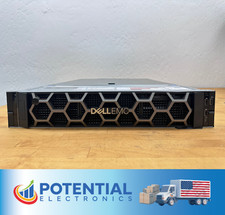
USED Dell EMC PowerEdge R740 BAREBONES Server NO RAM HDD or CPU, 2x 750w PSU 🚚
$170.00

DELL POWEREDGE R340 Server | Xeon E-2126G 64GB RAM PERC H330 (Onboard)
$399.95
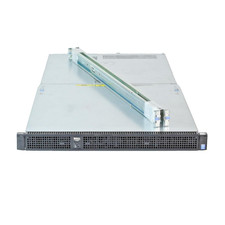
Dell Poweredge C4130 2x LGA2011-3 1U 4x GPU Rackmount Server CTO (NO CPU/NO RAM)
$299.95