

 Reply With Quote
chmod +x scriptname
./scriptname


hi all
if i want a particular script to be started at the boot time , what i should do , where to copy that script, and what are the procedures.
Actually, on knoppix page it is given that copy that script to /etc/rc5.d/ .
i had done that , but its not working, is there any other way to do that
plz tellme
thanks
chmod +x scriptname
./scriptname
If you put the script in /etc/rc5.d, you need to follow the rc naming scheme. So it should be named-
S##scriptname
S tells rc that the script should be started, the ## will tell it when (relative to other services) to run the script. 99 would be the last thing to run, 01 would be the first. You probably want it after 70 if it requires other networking services to already be running. Sticking it as last or nearly last is usually safest.
 Posting Permissions


RAM-HOL-SAM52CPU RAM USB-C Powered Dock Samsung Tab Active4 Pro & Tab Active Pro
$81.99
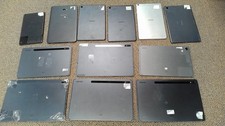
Lot of 12 Non-Working Samsung Galaxy Tablets with BAD LCD for Parts
$381.38

Samsung 2.5" 870 EVO SSD SATA III 250GB 500GB 1TB Internet Solid State Drive Lot
$60.00

Samsung Galaxy Tab A8 10.5" Tablet SM-X200 (Gray 32GB) Wifi CRACKED
$41.93

RAM-HOL-SAM60CPU RAM USB-C Powered Dock for Samsung Tab Active5 - 3 - 2
$81.99

Samsung PM961 512GB PCIe Gen 3x4 NVMe 2280 M.2 SSD MZVLW512HMJP-000D1
$60.00

RAM-GDS-SKIN-SAM54-NG-1 RAM Mounts IntelliSkin® Next Gen for Samsung Tab Active4
$93.99

Samsung 8GB DDR5 5600MHz SODIMM Laptop RAM PC5-44800 CL46 M425R1GB4BB0-CWM
$99.99

Samsung Galaxy Tab A 10.1" Tablet SM-T517P (Gray 32GB) Sprint CRACKED
$37.65

Samsung Galaxy Tab S7 FE 5G SM-T738U 12.4" Tablet Gray 64GB T-Mobile CRACKED
$82.68