

 Reply With Quote
You have to change your BIOS setting so that bootingfrom Cdrom is possible.


I had downloaded the iso file, and then I put it into the virtual CD, thus I can get all the files of the iso file, then I burned all the virtual CD to a CD ,but I cann't boot from it?
Is the right way of burning CD is to burn the iso file to CD directly withouting unzipping it?
You have to change your BIOS setting so that bootingfrom Cdrom is possible.
Look in the instruction of your PC how you enter the BIOS and how you make the changes.
In addition to the suggestions above you have to use the option in your burning program (whatever it may be called) to create a bootable CD from an ISO image.Originally Posted by windinrain
You have to make a ISO-image.
(There is no unzipping)
IF you have correctly made the iso, and find NO boot from cd, you will have to make a boot floppy. My machine I am on now will NOT boot from floppy.. the bios has no option.
I have done that, so I think the problem is in the procedure of burnding the CD. The iso_image could be unzipped with the software ' winrar' , after unzipping, there will be several files and folders.
In the CD I have burnned, the files and folders are as follow:
Demos KNOPPIX Talks autorun.bat autorun.inf cdrom.ico index.html
When I put the CD in windows, the file index.html will auto run,.
In folder KNOPPIX there has the file boot.img and many other files
I have redownloaded a new ISO-image, and I will burned the CD second time, may this time I'll be successful.
Think all of you!
Now I have successful booted from CD, and now I am very happy on linux.
But now I have some questions 1: Can I setup some software ? if i do, where should i put it? Now I don't have the "home' directory and don't have the super user ID and special user ID, how can I do that?
2: there have three partitions of the hard disk of my windows system, in linux, I can enter every partition and can see all the messages in it from GNU, but from terminal , when I do as follow:
cd /mnt/hda5
ls
there is nothing !!!
cd /mnt/hda6
ls
I can see all the files and folders
I don't think there is any difference between the two partitions, why don't i see the files of hda5 from terminal? but i can do that from GNU?
Knoppix is largely read-only by default. This means that settings, home directory contents and any installed applicatiosn will get lost at reboot. To persist your settings you need to use the "save settings" option to save them to a read/write volume (floppy, Flash stick, FAT[32] volume etc.). To persist your home directory you need to create, er, a persistent home directory. There are KDE menu options for both of these. To install applications you may need to convert your Knoppix installation into a regular Debian installation. The FAQs and docs contain lots of tips on all of these tasks. Read those first and then post back if you still have queries. Hope this helps.
 Posting Permissions


Seagate ST6000NM0115 6TB 256MB 7200RPM 3.5" SATA 6.0Gb/s Enterprise Hard Drive
$159.99

Seagate 14TB Exos X14 7200RPM SATA 6Gb/s 256MB 3.5" Enterprise HDD ST14000NM0408
$354.99

Seagate Exos X16 ST10000NM010G 10TB 7200RPM SAS 12Gb/s 3.5" 512e/4Kn HDD
$199.00

Seagate Exos X14 10TB 7200RPM 3.5" SAS 12Gb/s Hard Drive HDD ST10000NM0528
$165.00

HGST HUS724040ALA640 4TB 7200 RPM SATA 3.5" Internal Desktop Drive 100% Health
$78.00

HITACHI ULTRASTAR 2TB 7.2K 6G 3.5INCH SATA HDD HUS724020ALA640 | TESTED WIPED
$34.95

Seagate Enterprise Capacity 2TB 2.5in SATA Internal HDD ST2000NX0403
$60.00
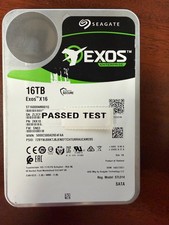
Seagate Exos X16 16TB ST16000NM001G 7200RPM Enterprise HDD*USED GREAT CONDITION*
$339.79
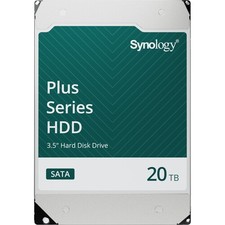
Synology 20TB HAT3320 Plus Series SATA III 3.5" Internal NAS HDD ( HAT3320-20T)
$750.00

Western Digital HUS726T4TAL5204 4TB 7.2K SAS 12Gb/s 3.5" 512e HDD NetApp X375A
$69.00