-
Installing centericq problem
Hello all!
does anybody knows what shall I do with this message:
Sorry, but the following packages have unmet dependencies:
centericq: Depends: centericq-common but it is not going to be installed
libqt3-mt-dev: Depends: libxcursor-dev but it is not going to be installed
E: Unmet dependencies. Try 'apt-get -f install' with no packages (or specify a solution).
I got it after i ve tried to install centericq on my knoppix 3.2 . I have tried to do what it sugests :
apt-get -f install but with no luck 
if u know what it is, please answer me
-
Senior Member
registered user
Try this apt-get -s install centericq centericq-common libxcursor-dev if it looks good then remove the -s from the line to install if it does not want to install then post the entire message. And if the libxcursor-dev gives you an error about not being able to install because it cannot overwite a file then cd /var/cache/apt/archives next dpkg -i --force-overwrite libxcursor-dev to force the overwriting.
-
-
Stephen hi,
i tried to do what u told, with -s it goes ok but when i removed it the following message was written:
Unpacking centericq (from .../centericq_4.9.7-1_i386.deb) ...
Errors were encountered while processing:
/var/cache/apt/archives/libxcursor-dev_1.0.2-2_i386.deb
E: Sub-process /usr/bin/dpkg returned an error code (1)

-
Senior Member
registered user

Originally Posted by
Eguks
Stephen hi,
i tried to do what u told, with -s it goes ok but when i removed it the following message was written:
Unpacking centericq (from .../centericq_4.9.7-1_i386.deb) ...
Errors were encountered while processing:
/var/cache/apt/archives/libxcursor-dev_1.0.2-2_i386.deb
E: Sub-process /usr/bin/dpkg returned an error code (1)
So you change to /var/cache/apt/archives and use the --force-overwrite command that I gave you above that is why I included it in my response. BTW if I did not already know what the problem was then the parts of the error you are posting are not enough most times we need to see the whole output of the commands to be able to help.
-
thanx for your time Stephen but i got tired from this problem, cause i'm trying to solve it for 3 days now, so i am installing knoppix 3.3 .
if then it won't work, i'll try what you wrote me to do in your last message.
-
I did changed to /var/cache/apt/archives and wrote the command you gave me, but the response was as i posted before.this was the entire error message. before that it was ok
-
Senior Member
registered user
Originally Posted by
Eguks
I did changed to /var/cache/apt/archives and wrote the command you gave me, but the response was as i posted before.this was the entire error message. before that it was ok
Alright I'm a bit confused here with what you mean "before that it was ok" do you mean when you used the install line that every thing went fine with no errors if so you do not need to use the force overwrite because everything installed fine. What I mean by the entire message is we have to see everything like this:
Code:
HappyTux:/home/stephen# apt-get -s install mozilla
Reading Package Lists... Done
Building Dependency Tree... Done
The following extra packages will be installed:
   libnspr4 (1.0.0-0.woody.1)
   libnss3 (1.0.0-0.woody.1)
   mozilla-browser (1.0.0-0.woody.1)
   mozilla-mailnews (1.0.0-0.woody.1)
   mozilla-psm (1.0.0-0.woody.1)
Suggested packages:
   mozilla-chatzilla (1.0.0-0.woody.1)
   xprt-xprintorg (0.0.8.cvs20030508-6)
Recommended packages:
  mozilla-xft
The following NEW packages will be installed:
   libnspr4 (1.0.0-0.woody.1)
   libnss3 (1.0.0-0.woody.1)
   mozilla (1.0.0-0.woody.1)
   mozilla-browser (1.0.0-0.woody.1)
   mozilla-mailnews (1.0.0-0.woody.1)
   mozilla-psm (1.0.0-0.woody.1)
0 upgraded, 6 newly installed, 0 to remove and 2 not upgraded.
Inst libnspr4 (2:1.0.0-0.woody.1 Debian-Security:3.0/stable, Debian:3.0r2/stable, Debian:testing)
Inst libnss3 (2:1.0.0-0.woody.1 Debian-Security:3.0/stable, Debian:3.0r2/stable, Debian:testing)
Inst mozilla-browser (2:1.0.0-0.woody.1 Debian-Security:3.0/stable, Debian:3.0r2/stable, Debian:testing)
Inst mozilla-mailnews (2:1.0.0-0.woody.1 Debian-Security:3.0/stable, Debian:3.0r2/stable, Debian:testing)
Inst mozilla-psm (2:1.0.0-0.woody.1 Debian-Security:3.0/stable, Debian:3.0r2/stable, Debian:testing)
Inst mozilla (2:1.0.0-0.woody.1 Debian-Security:3.0/stable, Debian:3.0r2/stable, Debian:testing)
Conf libnspr4 (2:1.0.0-0.woody.1 Debian-Security:3.0/stable, Debian:3.0r2/stable, Debian:testing)
Conf libnss3 (2:1.0.0-0.woody.1 Debian-Security:3.0/stable, Debian:3.0r2/stable, Debian:testing)
Conf mozilla-browser (2:1.0.0-0.woody.1 Debian-Security:3.0/stable, Debian:3.0r2/stable, Debian:testing)
Conf mozilla-mailnews (2:1.0.0-0.woody.1 Debian-Security:3.0/stable, Debian:3.0r2/stable, Debian:testing)
Conf mozilla-psm (2:1.0.0-0.woody.1 Debian-Security:3.0/stable, Debian:3.0r2/stable, Debian:testing)
Conf mozilla (2:1.0.0-0.woody.1 Debian-Security:3.0/stable, Debian:3.0r2/stable, Debian:testing)
By posting this we get to see the command used and what apt is doing it makes it easier try and figure out what is going wrong. Hopefully the install of 3.3 goes well and you do not have any problem if you do post back.
-
Stephen, here is the whole procces:
root@Eguks:/home/eguks# apt-get -s install centericq-common libxcursor-dev
Reading Package Lists... Done
Building Dependency Tree... Done
centericq-common is already the newest version.
You might want to run `apt-get -f install' to correct these:
The following packages have unmet dependencies:
kdelibs4: Depends: kdelibs-bin (= 4:3.1.4-3)
Depends: kdelibs-data (>= 4:3.1.4-1) but 4:3.1.2-2.1 is to be installed
kdelibs4-dev: Depends: kdelibs-bin (= 4:3.1.4-3)
E: Unmet dependencies. Try 'apt-get -f install' with no packages (or specify a solution).
root@Eguks:/home/eguks#
i have tried some apt-get -f upgrade before, so now even what was right, isn't working
-
Senior Member
registered user
Originally Posted by
Eguks
Stephen, here is the whole procces:
root@Eguks:/home/eguks# apt-get -s install centericq-common libxcursor-dev
Reading Package Lists... Done
Building Dependency Tree... Done
centericq-common is already the newest version.
You might want to run `apt-get -f install' to correct these:
The following packages have unmet dependencies:
kdelibs4: Depends: kdelibs-bin (= 4:3.1.4-3)
Depends: kdelibs-data (>= 4:3.1.4-1) but 4:3.1.2-2.1 is to be installed
kdelibs4-dev: Depends: kdelibs-bin (= 4:3.1.4-3)
E: Unmet dependencies. Try 'apt-get -f install' with no packages (or specify a solution).
root@Eguks:/home/eguks#
i have tried some apt-get -f upgrade before, so now even what was right, isn't working
Much better now I can see what is going on. It is telling you that the centericq-common already is installed at the latest version for testing which is the default release for Knoppix. To solve the KDE problem you need to install the latest versions of the programs it wants so apt-get -s install kdelibs-data kdelibs-bin if it looks good remove the -s to install you may have to use kdelibs-data/unstable and the same on the end of the -bin in the install line. Can you post the output of apt-cache policy libxcursor-dev the centericq and centericq-common as well.
Similar Threads
-
By Compmad in forum Hdd Install / Debian / Apt
Replies: 3
Last Post: 04-29-2005, 06:58 AM
-
By Apollo2004 in forum Hdd Install / Debian / Apt
Replies: 3
Last Post: 03-12-2005, 11:54 PM
-
By rangalo in forum Hdd Install / Debian / Apt
Replies: 2
Last Post: 02-01-2005, 12:35 PM
-
By tzulberti in forum Hdd Install / Debian / Apt
Replies: 2
Last Post: 08-16-2004, 07:56 PM
-
By Wikt in forum Hardware & Booting
Replies: 3
Last Post: 01-10-2004, 03:38 PM
 Posting Permissions
- You may not post new threads
- You may not post replies
- You may not post attachments
- You may not edit your posts
-
Forum Rules


Macintosh Platinum Mouse - Apple 128K 512K 512Ke Mac Plus Lisa IIe M0100 - NEW
$49.99

Apple Macintosh Mac 128k - 512k Boot / Diagnostics 2 Disk Set for Classic Macs
$14.99

1984 Apple Macintosh 128k Picasso Accessory Case Empty Cord Tape Box Incomplete
$59.99

1984 APPLE MACINTOSH 128K FIRST MAC Model M0001 PICASSO KIT Discs Harvard Rare
$1800.00
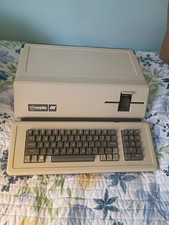
VINTAGE APPLE III COMPUTER A3S1-052010 (128k)
$800.00
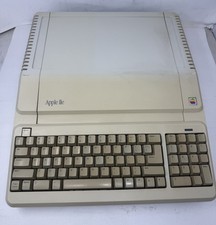
Apple IIe Platinum 128k Computer - Powers On - As is - See Photos - a2s2128
$255.00
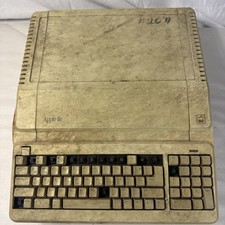
Vintage Apple IIe Platinum A2S2128 128K Computer Parts Repair Missing Keys
$100.00

Vintage Apple Macintosh Classic 128K Game Pack 5 On New 400K Double Density Disk
$39.99

Apple Keyboard for Macintosh 128k 512k Mac Plus RARE Vintage M0110 (010)
$149.00

Vintage Apple Macintosh M0100 Mouse 128K 512K Original Tested Working USA
$65.00



 Reply With Quote